
Please Stop Wasting Money On Crappy Dash Cams | Response

Dash cam tech has moved fast. What felt like a waste a few years ago is now a real tool for capturing license plates at night, avoiding fraud, and protecting yourself on the road—if you pick the right camera and install it correctly. Too many people buy dash cams based on flashy Amazon listings and "4K" labels without understanding what the specs actually mean. Below I break down what matters, what’s misleading, and how to choose a dash cam that actually delivers.
What really matters: sensors, HDR, and real-world performance
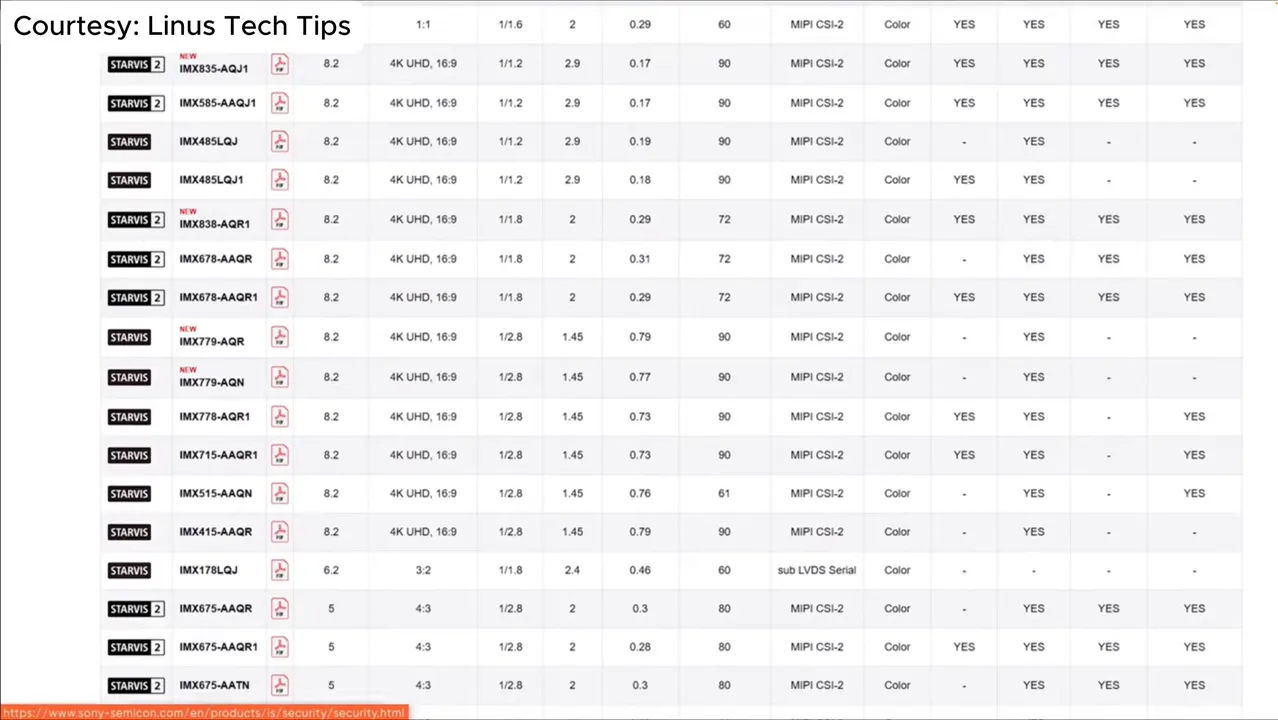
Resolution numbers are easy to misuse as marketing. The single most important hardware detail to check is the image sensor model. Sony’s Starvis family is widely used in dash cams; within that family there are big differences from one sensor to another.
Key things to look for:
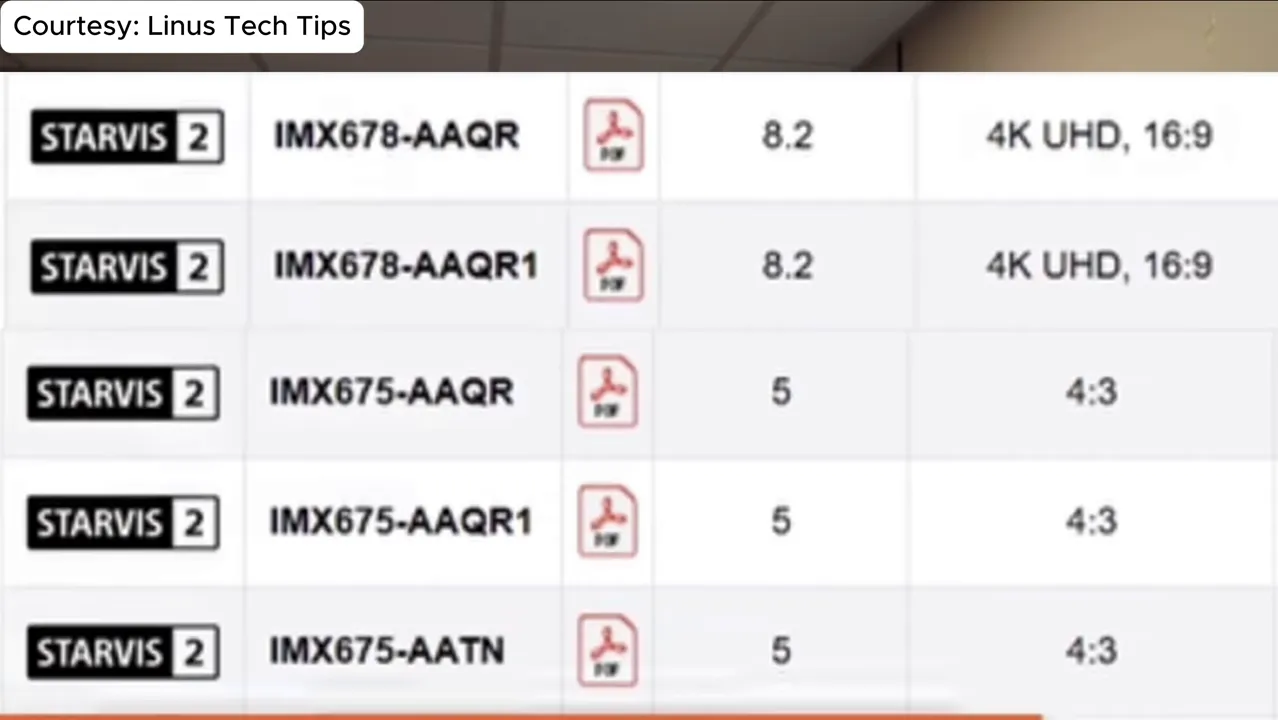
- Exact sensor model (for example IMX678 vs IMX675). The IMX678 is a higher-performing Starvis 2 sensor and will generally produce better low-light results than the IMX675.
- HDR support. HDR dramatically helps with high-contrast scenes (bright sky vs shaded road) and can improve license plate capture in many conditions.
- Bitrate and compression. Two cameras using the same sensor can still vary widely in bitrate and video quality depending on codec and bitrate choices.
“4K” labels can be misleading — how to spot the difference
Some cameras advertise 4K even though the sensor inside is a 2K sensor. That happens because manufacturers may upscale, crop, or overstretch marketing terminology. A camera using the IMX675 (a Starvis 2 variant) is a 2K sensor despite marketing claims that suggest otherwise.
Before you buy, confirm the sensor model and check independent sample footage or tests that show readable license plates at night and in motion. If you see a product claiming "4K" but listing a 2K sensor model, treat that claim with skepticism.
Mounting and placement: quality matters as much as hardware
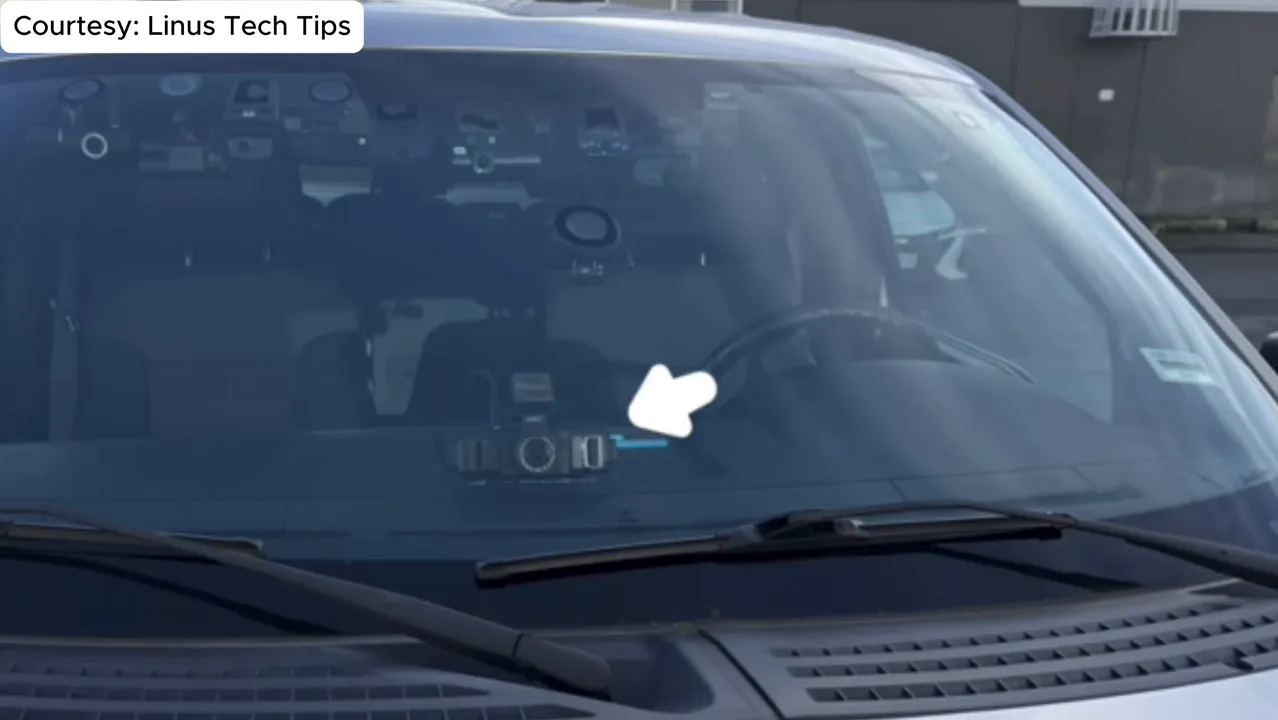
Where the camera is mounted affects everything: angle, field of view, reflections, and whether you capture the area you care about. Center-mounting close to the rearview mirror is generally best for front-facing cameras. Mounting too low or off to the side often produces worse coverage and more glare.
Here are practical mounting guidelines:
- Center, near the rearview mirror: minimizes obstruction and provides a balanced field of view.
- Avoid the edges of the windshield: side-mounted positions can introduce distortion, reflections, and blind spots.
- Keep the lens level: pitched cameras can miss license plates and skew perspective.
- Test day and night footage after installation to confirm you’re capturing the key area in both conditions.
Parking mode: a feature worth paying for
Video quality is critical, but parking mode is often the feature that saves you time and money after an incident. A good parking mode will:
- Record impact events and motion while you’re away
- Have configurable low-battery protection
- Support buffered pre- and post-event recording
- Be reliable with low power draw
Some cameras are recommended not because they have the absolute best night front-facing footage, but because they have the most robust parking mode systems. If you park on the street or in public lots, prioritize parking mode alongside night performance.
Power connections and installation: USB-C vs proprietary
There are two common approaches to powering dash cams: standard USB-C power and proprietary power cables. Both have pros and cons:
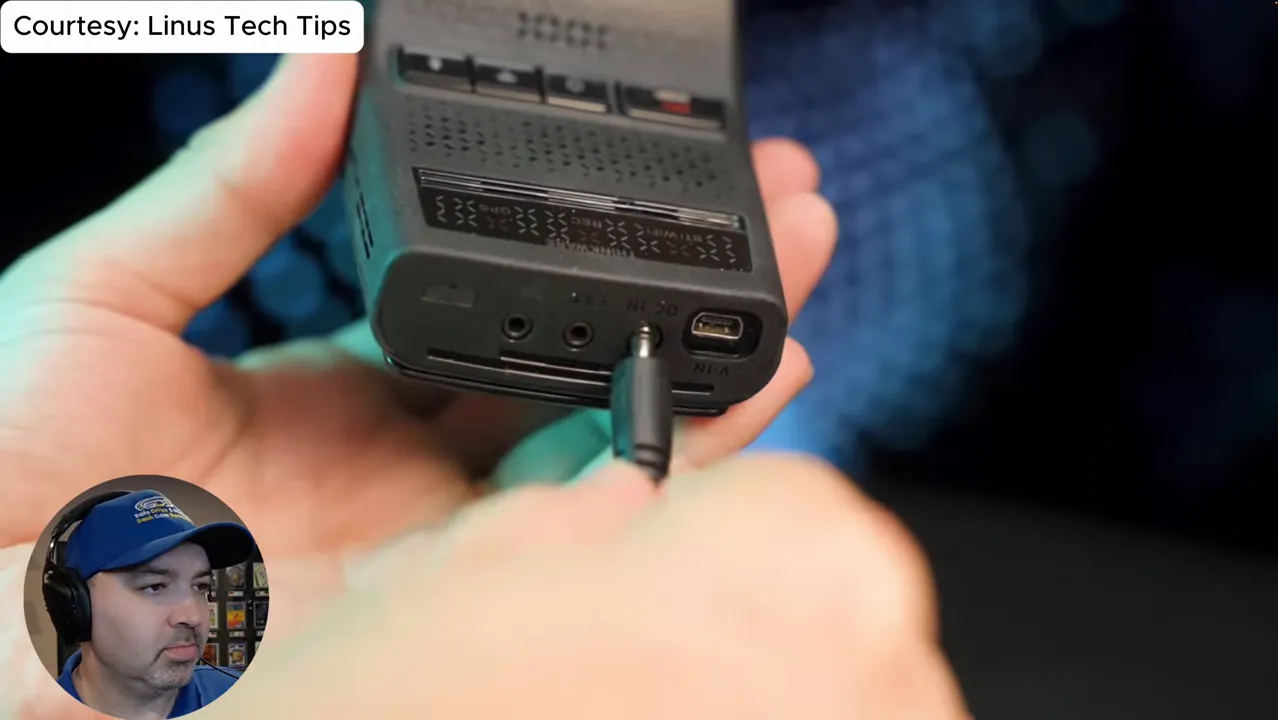
- Proprietary connectors: Many professional installations use these. They often allow the dash cam to control low-battery cutoffs and provide cleaner wiring options. Technicians often prefer them for a tidy installation and adjustable battery protection through the unit.
- USB-C: More common on newer consumer units. Easier to source and replace, but all implementations put low-battery protection in the cable instead of the camera, making adjustments harder if the cable is hidden under dash panels. Also there are different configurations of the USB C cable.
If you plan to hardwire the camera, ask the installer whether low-battery protection is adjustable through the camera or the cable. Hidden cables that hard-limit features can be frustrating if you later want to tweak settings.
Practical purchase checklist
Use this checklist to cut through marketing and make a confident purchase:
- Sensor model: Confirm the exact sensor (IMX number) and verify whether it’s Starvis 2 or another variant.
- Night footage samples: Look for license plates captured at night, and sample footage of oncoming traffic (motion blur handling).
- HDR support: Prefer HDR for contrast-heavy driving conditions.
- Parking mode capabilities: Buffered recording, motion detection, and configurable low-battery protection matter.
- Mounting advice from manufacturer: Check recommended mounting location and follow it for best results.
- Power and installation: Decide if you want a clean hardwired install or a simple plug-and-play cable; check how low-battery protection is implemented.
- Reputable testing sources: Look at independent reviewers who test real-world scenarios, not just spec sheets or product pages.
Common pitfalls to avoid
- Buying solely on a "4K" marketing claim without checking the sensor model.
- Mounting the camera in a non-recommended position to avoid obstructions or driver-assist sensors.
- Assuming every dash cam brand has the same support and firmware updates—vendor support matters.
- Relying only on Amazon reviews—these can be inflated or misinformed when specs are unclear.
Final thoughts
Dash cameras can be worth the investment when you focus on the right details: the sensor, HDR, parking-mode features, and a proper installation. Don’t let a marketing resolution number be the only deciding factor. If you want the best chance of capturing read-able plates at night and reliable parking protection, verify the sensor model, check independent footage, and consider a professional install for clean wiring and correct low-battery settings.
If you want help choosing or installing a dash cam, look for local installers who can show real test clips from the unit you’re buying and who hardwire units with adjustable battery protection. The difference between a camera that’s “nice” and one that actually protects you can come down to a few small choices at purchase and installation.