
Is FitcamX the Best Hidden Dash Camera? An Honest Review
FitcamX is one of those dash cameras that gets attention for one big reason. It blends into the factory trim and gives that clean OEM look a lot of people want.
That sounds great on paper. But a hidden dash camera still has to do the actual job. It has to install properly, record usable footage, and ideally protect the vehicle while parked.
So that is what really matters here. Three questions need answers:
- How easy is it to install?
- How good is the video quality in the day and at night?
- Does the parking mode actually work well enough to be useful?
On this test vehicle, a 2023 Volkswagen ID4, the FitcamX looked promising because it is designed specifically for the vehicle and replaces the mirror housing area with a more factory-style finish. Price-wise, it came in around 229 Canadian dollars or 169 US dollars for a front only camera setup, with the parking mode cable sold separately.
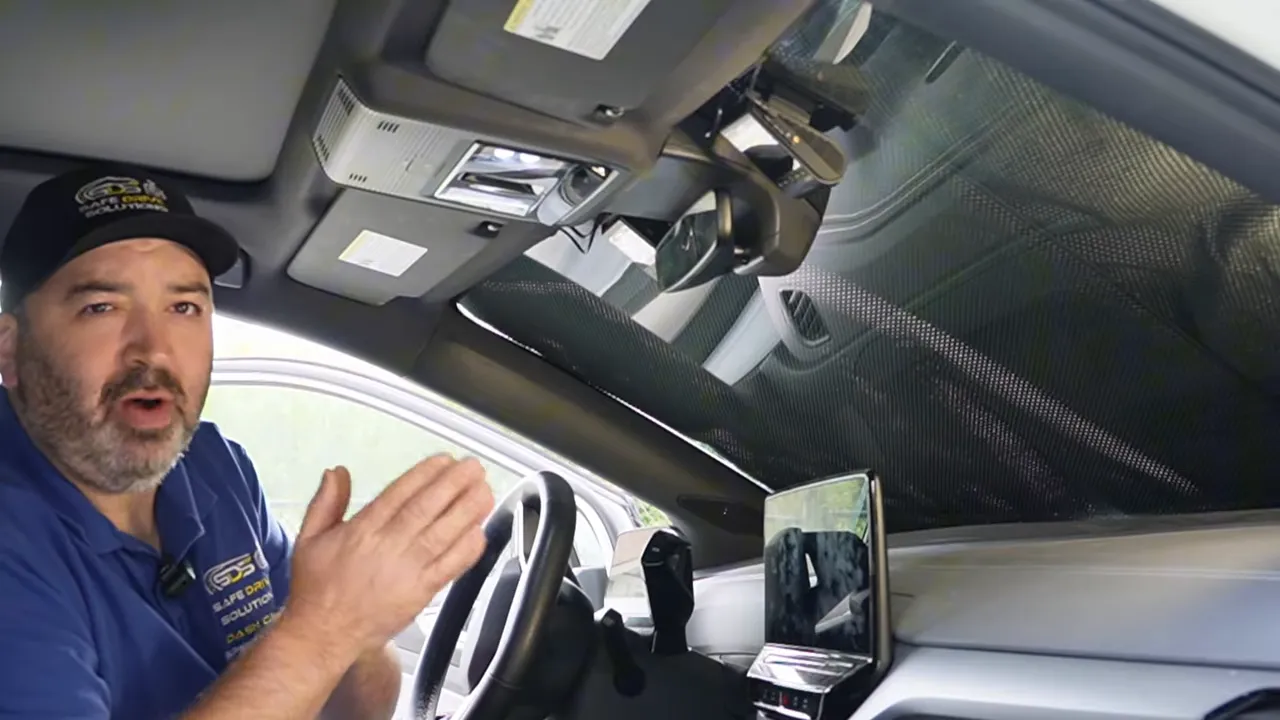
There is also an important spec detail worth noting right away. This unit uses a Sony STARVIS IMX335 sensor, which is an older 2K-class sensor. Even though the app allows a 4K output setting(the dash camera itself is not 4k), it is not competing with newer dash cams using STARVIS 2 sensors. That difference shows up later in the footage.
What FitcamX is trying to do
The whole appeal of FitcamX is simple. It is made to look integrated rather than stuck onto the windshield like a typical dash cam.
For some drivers, that is a huge selling point. If you care a lot about a clean interior, minimal visible wiring, and something that looks almost factory installed, FitcamX absolutely checks that box better than many traditional models.
But hidden design is not the same thing as hidden compromise.
If your priority is performance first, especially parking protection and clear evidence, you have to look beyond the housing design and ask whether it records the kind of footage you would actually need after an incident.
Installation on a Volkswagen ID4
Let me be straight about it. On this vehicle, the install was not especially easy.
The process starts with removing the mirror housing trim. That means using a panel tool, carefully popping off the cover, sliding pieces apart, and disconnecting the rearview mirror assembly to get access to the power connection hidden behind it.
It is not impossible, but it is not a quick beginner-level plug-and-play job either.
What had to come apart
To get the FitcamX in place, the mirror trim around the windshield area had to be removed in sections. Once that housing came off, the mirror was disconnected so the factory harness could be reached.
The camera uses a T-harness adapter that plugs inline behind the rearview mirror. In theory that sounds simple. In practice, the harness location on the ID4 was pretty tight and awkward to access.
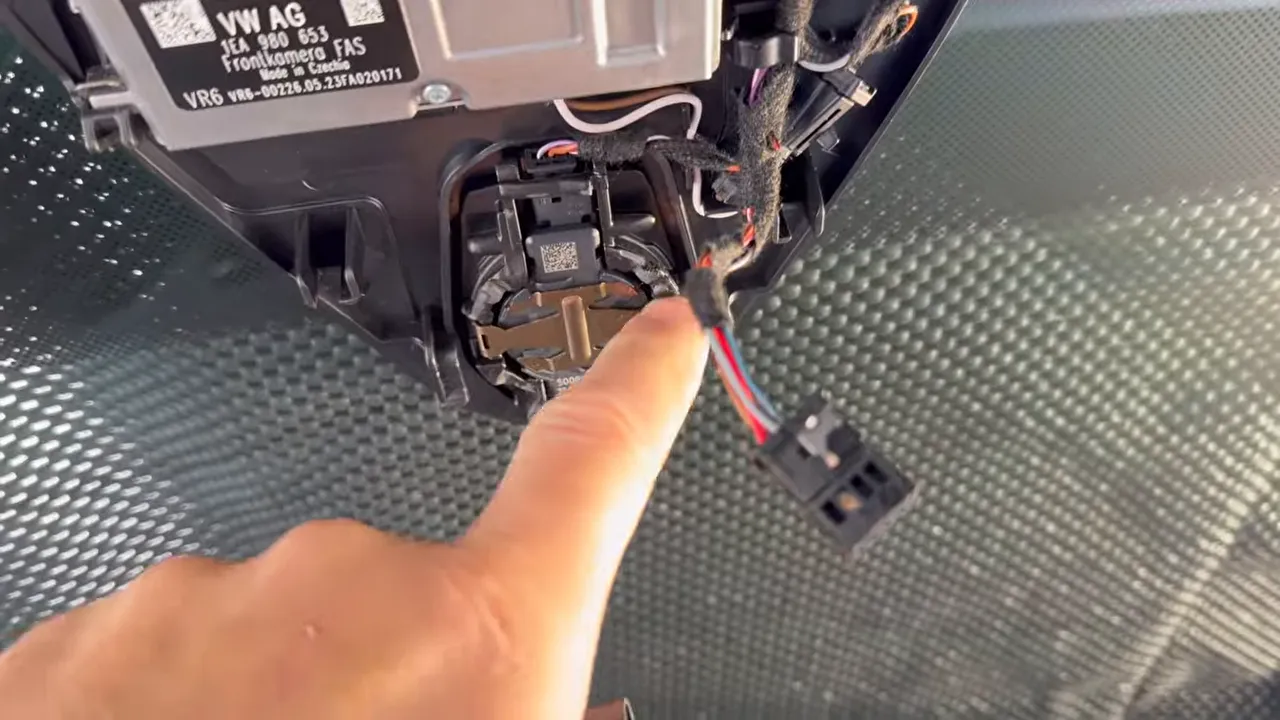
After connecting the T-harness, the mirror had to be reinstalled, the wiring tucked away as cleanly as possible, and the FitcamX housing fitted back into place.
Once installed, it did achieve the look it promises. It sits in that mirror area and looks far more integrated than a standard windshield-mounted dash cam.
The catch with the T-harness
This is one of the biggest practical limitations.
The included T-harness setup only powers the camera while driving. It does not support parking mode. So if the reason you are buying a dash cam is to record incidents while your vehicle is parked, the basic install does not get you there.
To use parking mode, you need the separate hardwire cable, and that means connecting constant power, ignition, and ground directly to the vehicle.
If parking protection matters to you, it is worth reading more about how dash cams record while parked and the different limitations that come with each setup.
And if you do not want to deal with pulling trim, working around airbags, or testing vehicle circuits, this is exactly why many drivers choose to get a dash cam professionally installed.
Connecting the app and adjusting settings
Once the camera was installed, pairing it to a phone was fairly straightforward. The camera broadcasts WiFi, shows up under a simple network name, and connects through the FitcamX app using the default password.
The app works, but the settings menu is pretty basic.
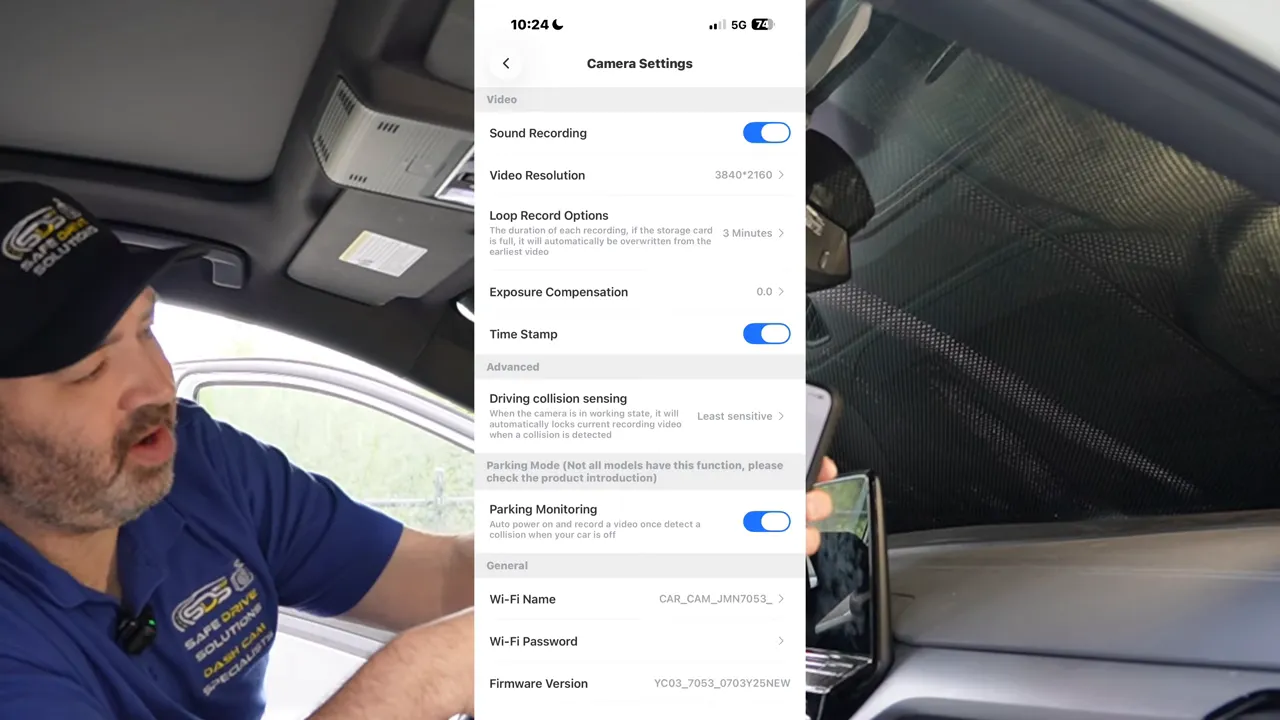
Available controls included:
- Parking monitoring
- Timestamp
- Exposure compensation
- Loop recording length
- Resolution selection
- Audio recording on or off
So yes, the essentials are there, but there is not much depth. If you are used to higher-end dash cams with more robust app control, more parking mode options, better file management, or advanced sensitivity tuning, this feels limited.
Downloading files is slow
Another issue showed up in file transfers. The WiFi connection appeared to be 2.4 GHz only, and downloading a single clip looked like it would take roughly a minute.
That may not sound terrible until you actually need footage quickly.
If you are standing at the side of the road, or trying to pull evidence after an incident, slow transfers become annoying fast.
Daytime video quality
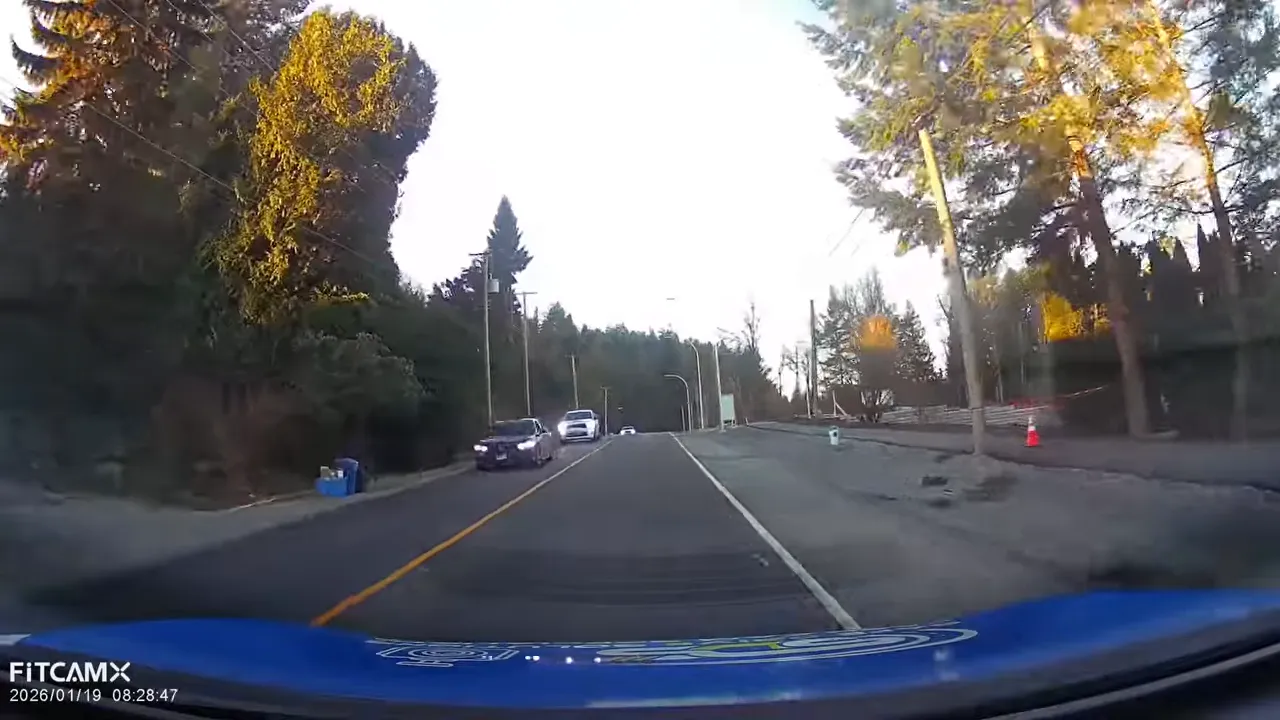
In decent daytime conditions, the footage is passable. You can tell what is happening on the road. General traffic flow, lane position, and surrounding vehicles are visible.
But when it comes to the stuff that really matters, like reading license plates from moving vehicles, this camera struggles.
At roughly 60 km/h, passing plates were not coming through clearly. Oncoming traffic especially looked soft or blurred, which means critical identifying details were often missing.
Sunlight is a major weakness
The biggest daytime problem showed up when driving into direct sunlight.
When the sun hit the lens hard, the image washed out badly. Important details in front of the vehicle became difficult or impossible to make out. That is a major concern because challenging lighting is exactly when a dash cam needs to hold itself together.
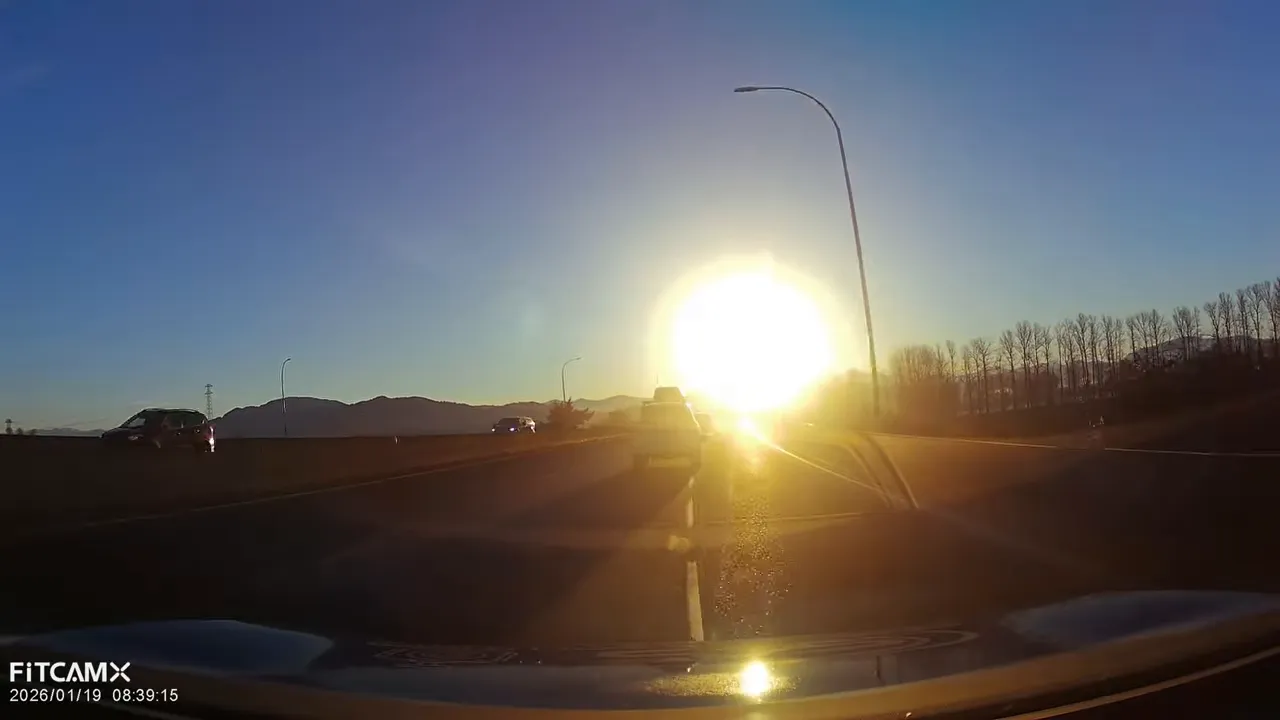
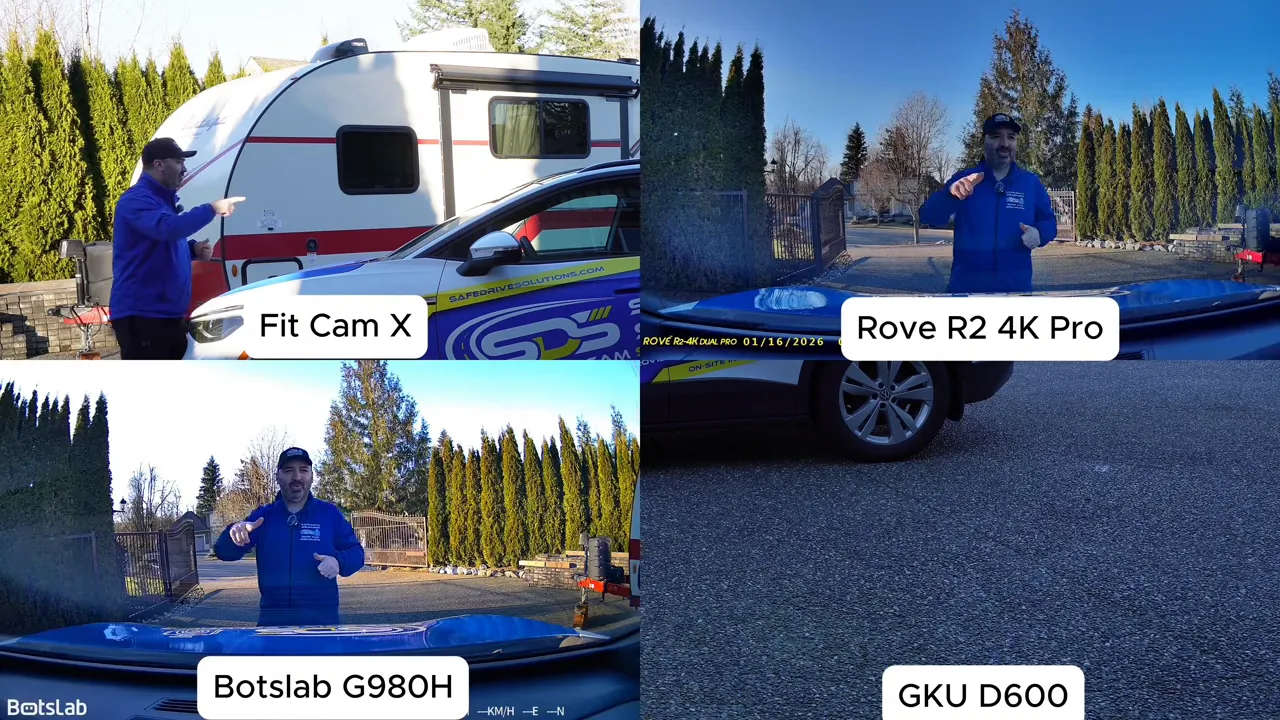
Side-by-side comparisons with higher-end units made the difference obvious. Cameras from brands like Viofo, Thinkware, and Vueroid retained more usable detail and handled harsh light better. The FitcamX footage looked softer and gave up information much sooner.
If sharp footage is a priority for you, especially for plate capture and difficult lighting, the camera quality conversation should include more than just the word 4K. Sensor quality matters. Processing matters. Lens performance matters. This is where a guide on dash cam resolution helps, because resolution alone does not tell the full story.
Night video quality
At night, the results were mixed.
One positive is that the footage showed reasonably good colour in some scenes. That is better than some lower-end cameras that produce drab or muddy night footage.
But as soon as stronger light sources entered the frame, the problems came back.
Headlights from oncoming traffic created heavy flare and blur. Streetlights also bloomed noticeably, which made the image look less clean and less reliable.
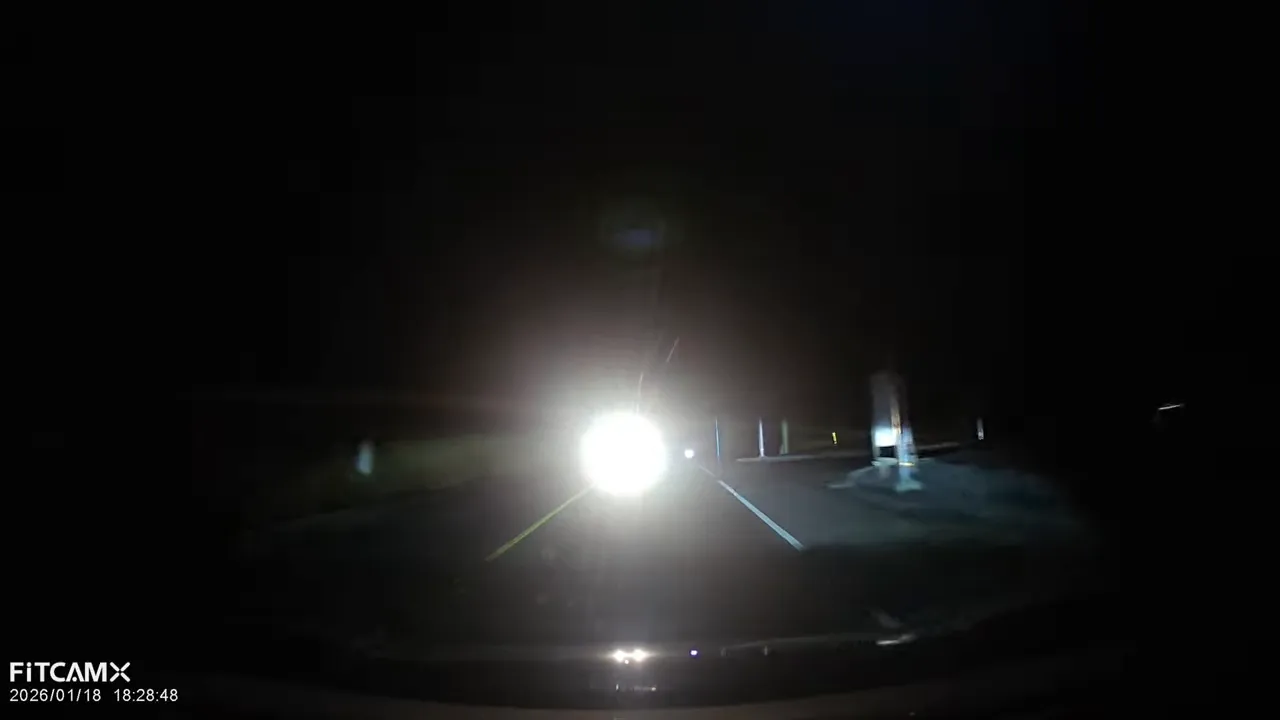
Plate capture at night is very situational
The camera could sometimes pick up a plate at night if the vehicle was close, centered, and speeds were low.
That is a very narrow window.
If the plate was off to one side, or the target vehicle was moving through the frame rather than sitting directly ahead, that critical detail disappeared quickly.
So while nighttime footage is not unusable, it is not especially confidence-inspiring either. It may capture the event, but not always the identifying information you would hope for.
Parking mode performance
This is where things really fall apart.
The FitcamX parking mode is based on collision detection only. In other words, it is supposed to wake up after an impact. There is no mention here of a more advanced buffered parking mode, continuous event capture, or anything especially robust.
That already puts it behind stronger parking mode systems. If you want to understand the difference between approaches like impact-triggered wake-up, motion detection, and other options, take a look at different dash cam recording modes.
But the bigger issue is this: during testing, it did not wake up.
Real-world impact tests
The vehicle was struck multiple times in testing to see whether the parked camera would activate and record.
Those tests included:
- Impacting the hood
- Repeating the hood impact a second time
- Striking the windshield area directly
Across those tests, the camera still failed to wake up and capture the event.
That is the kind of result that is hard to ignore. A hidden dash camera that looks great but does not respond when the parked vehicle is hit is not giving meaningful parked protection.
And that matters because for a lot of people, parking mode is not a bonus feature. It is the whole reason they are shopping for a dash cam in the first place.
What FitcamX gets right
To be fair, FitcamX is not without strengths.
- It looks clean. The OEM-style integration is the main appeal, and it delivers on that.
- It keeps the windshield area tidy. There is less of that add-on gadget look.
- The app is simple enough. Basic setup and file access are not difficult.
- Driving-only power is relatively clean with the T-harness. If all you want is simple on-road recording, that part is manageable.
Where FitcamX falls short
The weaknesses are more important than the styling advantages if your goal is evidence and protection.
- Installation was not easy on the ID4. Accessing the harness behind the mirror was awkward.
- The included T-harness does not support parking mode.
- Parking mode cable costs extra.
- Daytime glare handling is weak.
- Nighttime performance drops off when bright lights hit the lens.
- License plate capture is inconsistent.
- Parking mode impact detection failed in testing.
- It relies on older sensor technology compared with newer premium cameras.
So, is FitcamX the best hidden dash camera?
If the question is, does it look the most factory-like? It is definitely in the conversation.
If the question is, is it the best dash camera overall for performance? No, not based on this test.
The FitcamX gives you a nice OEM appearance. That part is real. But when you look at the things that matter most in a dash cam, installation difficulty, image quality, harsh light handling, and actual parked protection, it comes up short.
That does not automatically make it useless. If someone only wants a subtle-looking camera for basic driving footage and they are willing to accept compromises, it may still be good enough for them.
But if your main goal is to protect yourself with reliable video evidence, especially while parked, this camera leaves too many question marks.
Final verdict
FitcamX is a style-first dash camera.
It wins on appearance. It does not win on overall performance.
For a lot of drivers, that will be the deciding factor. A dash cam should not just blend in. It should show up when you need it, capture details clearly, and work properly when your car is sitting unattended.
And on those points, this one did not do enough.
If you are comparing hidden dash cameras against traditional models, make sure you are not giving up the features that matter most just to get a cleaner look.