
Vueroid S1QHD vs Viofo A229 Plus: Which One Catches Every Impact?
Parking mode is where a dash cam earns its keep. It is not just about recording while the vehicle is off. It is about what gets captured before an impact, how much battery power the system uses, and whether the file is easy to find when something actually happens.
I put the Vueroid S1QHD and Viofo A229 Plus through three parking mode tests: time lapse, motion detection, and low-power recording. Both cameras offer useful protection, but they take very different approaches.
Key Takeaways
-
- Both cameras record time lapse at one frame per second, but only Viofo offers 1,2,3,5 or 10 frames per second options.
- Vueroid and stores parking events in dedicated PVT parking-event folders.
- Viofo low bit rate recording offers continuous coverage but draws about 300 milliamps of current.
- Vueroid Extreme Low Power Mode draws about one milliamp but records only significant impacts.
Table of Contents
- Time-Lapse Parking Mode: Same Frame Rate, Different Event Handling
- Motion Detection: How Much Footage Is Captured Before Movement?
- Low Bit Rate vs Extreme Low Power Mode
- Hybrid Parking Mode: A More Balanced Option
- Event Folder Management: Can You Find the Footage When You Need It?
- Which Parking Mode Is Right for You?
Time-Lapse Parking Mode: Same Frame Rate, Different Event Handling
In time-lapse parking mode, both dash cams record at one frame per second. The Viofo A229 Plus gives you more flexibility, with options for 1, 2, 3, 5, or 10 frames per second. The Vueroid records time lapse at one frame per second only.
That frame-rate flexibility is useful, but the important difference appears when there is an impact.
During the impact test, the Vueroid S1QHD was designed to go back and buffer the previous 10 seconds, then create an event recording that includes the impact. It can also preserve audio from that buffered section.
The Viofo A229 Plus, meanwhile, continues its time-lapse recording at one frame per second. That means the evidence is still there in the parking footage, but it is not converted into a fuller buffered event recording in the same way.
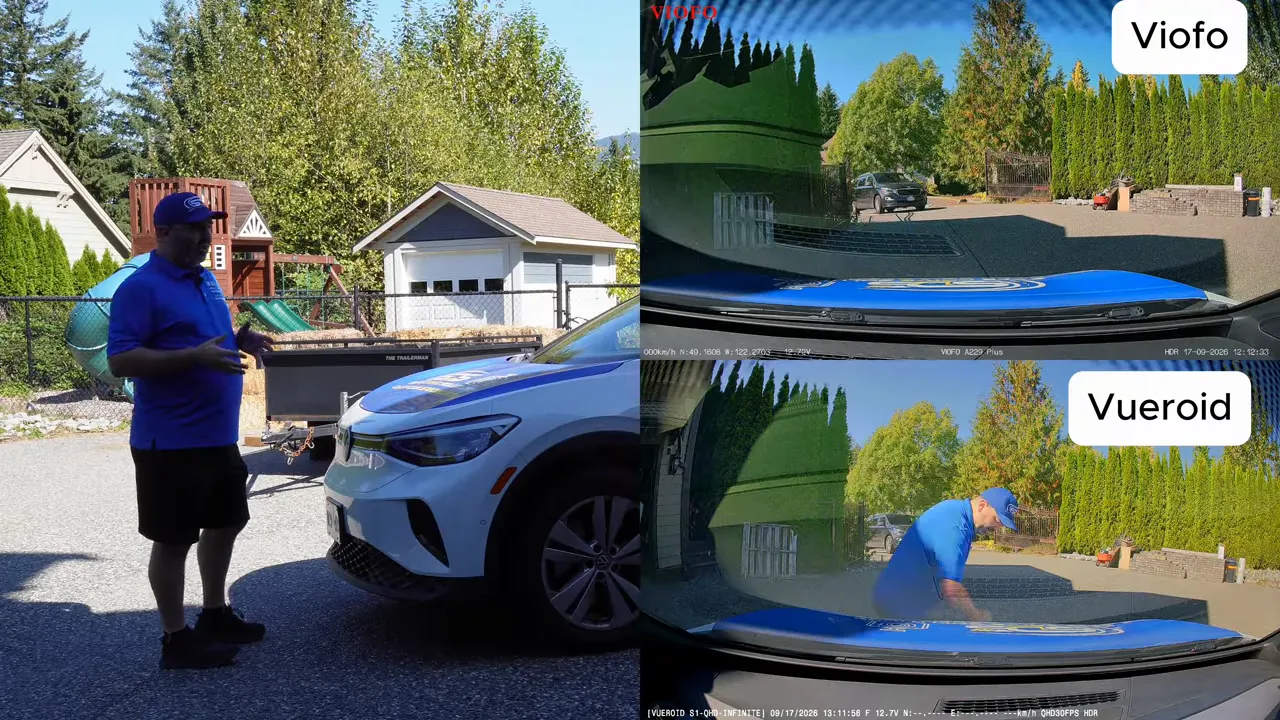
This is an important distinction if you want more context around a parking-lot collision. A one-frame-per-second recording may show the incident, but a buffered clip can provide a clearer sequence of what led up to it.
Motion Detection: How Much Footage Is Captured Before Movement?
Motion detection works differently from time lapse because the camera is waiting for activity before it starts recording an event.
In this test, the Viofo A229 Plus buffered approximately 15 seconds before the person entered the frame. The Vueroid S1QHD buffered approximately 10 seconds before entry.
Both approaches are useful because a recording that begins only after the motion starts can miss the crucial first moments of an incident. Pre-buffered footage gives you a better chance of seeing where someone came from, what they were doing, and how the event unfolded.
The other question is what happens when the vehicle is bumped. A dash cam should not only record the event. Ideally, it should also protect that file and make it simple to locate later.
Low Bit Rate vs Extreme Low Power Mode
This is where these two dash cams are aimed at very different drivers and vehicles.
Viofo A229 Plus Low Bit Rate Parking Mode
Viofo's low bit rate parking mode continuously records at a reduced bit rate. Because it is constantly recording, it can capture activity even when there is no major impact.
The trade-off is power consumption. Low bit rate, time lapse, and motion detection modes on the Viofo draw about 300 milliamps. The Vueroid also draws approx 300 ma for Motion Detection and time lapse modes as well. The lower bit rate (Viofo) also reduces storage use. As a practical example, roughly three hours of recording can take up storage closer to what one hour would normally use at a higher bit rate.
If audio recording is enabled, low bit rate mode can capture audio as well. The value here is simple: continuous coverage. If somebody keys the vehicle, rubs the side, or does something that does not cause a meaningful impact, there is still a chance the event is on the recording.
Vueroid S1QHD Extreme Low Power Mode
Vueroid's Extreme Low Power Mode is built for minimizing battery draw. It uses approximately 1 milliamp of current, compared with roughly 300 milliamps for the Viofo's active parking modes.
That is a massive difference for anyone concerned about a smaller vehicle battery, including many EVs, hybrids, and some Japanese vehicles. At one milliamp, the camera can remain connected for a very long time without putting meaningful demand on the battery.
There is a catch, and it matters. Extreme Low Power Mode does not wake up for every incident. If somebody scratches the vehicle, keys it, or rubs along the side without creating a significant impact, it may not record anything.
It is designed to wake up after a serious impact, starting to record about one second afterward. That makes it a very efficient solution for the classic parking-lot collision, where another vehicle hits yours while you are away.
Hybrid Parking Mode: A More Balanced Option
For some drivers, the best answer is not choosing between full-time recording and impact-only protection. It is using both at different times.
The Vueroid offers a hybrid parking mode. You can run motion detection or time lapse for a set period, such as one hour, then automatically switch to Extreme Low Power Mode.
That setup makes a lot of sense for shorter stops:
- Use time lapse or motion detection while you are having coffee, shopping, or out for dinner.
- Keep stronger activity coverage during the period when a parking incident is more likely to be noticed quickly.
- Switch to impact-based low-power protection afterward to reduce battery draw.
The higher-end Viofo A329S series also offers a hybrid-style solution, but the A229 Plus does not include this feature.
For long-term parking, Extreme Low Power Mode can sit on the battery for an exceptionally long time because its one-milliamp draw is next to nothing. For short-term parking where scratches, side rubs, and movement matter, a more active recording mode provides wider coverage.
Event Folder Management: Can You Find the Footage When You Need It?
Recording an incident is only half the job. You also need to find the file quickly and know it will not be overwritten.
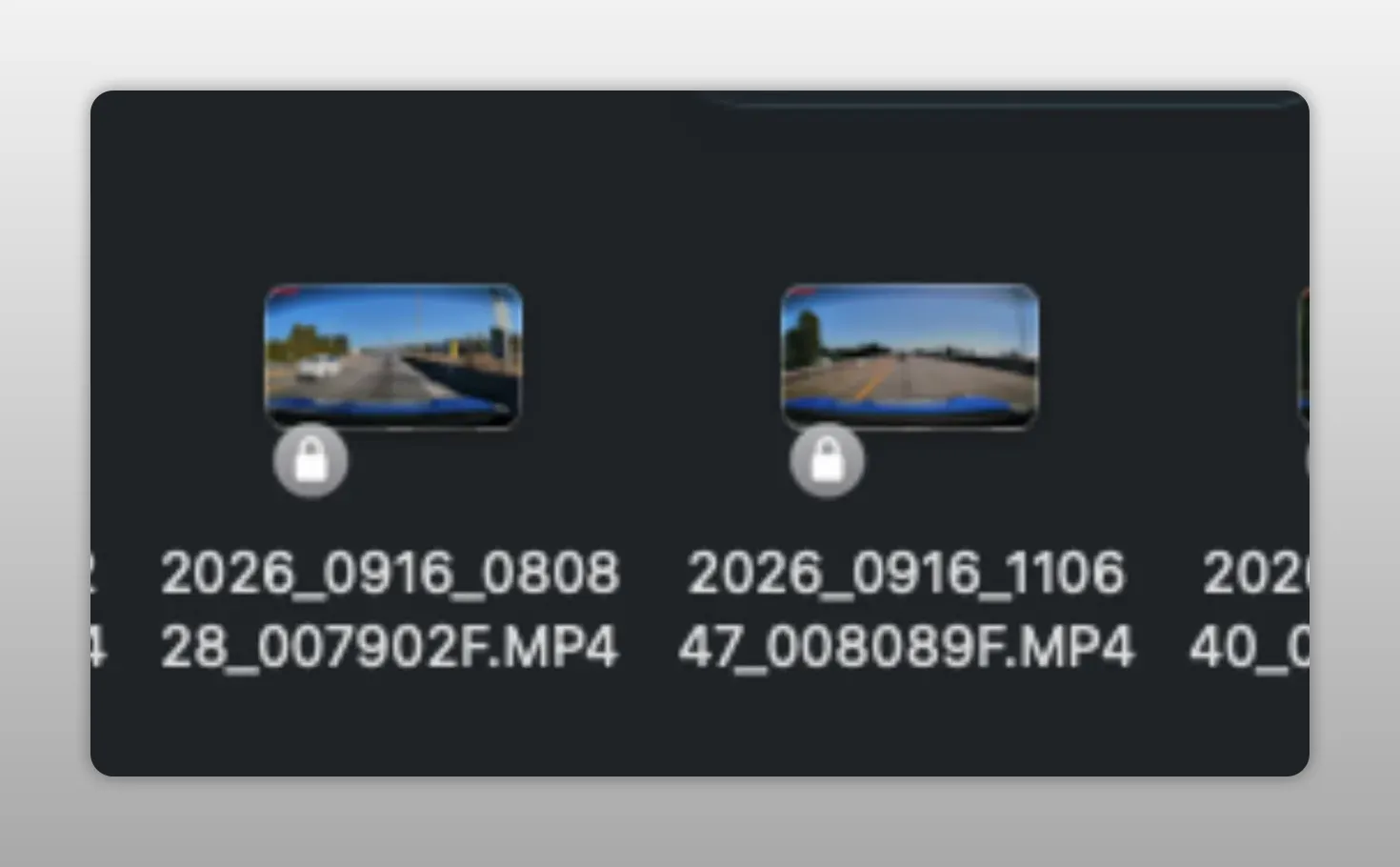
When checking the Viofo A229 Plus parking files from the test, all of the recordings appeared in the parking folder. However, none of the tested impact recordings were locked.
On a Viofo dash cam, a properly protected event file should display a lock icon. Locked recordings are important because they are not meant to be overwritten by normal loop recording. The manually locked driving clips did show the expected lock icon, but the parking-impact samples in this test did not.
The Vueroid handles this differently. Its parking incidents were placed in folders labelled PVT, which stands for parking event. The tested impacts appeared in those parking-event folders, making them straightforward to identify and review.
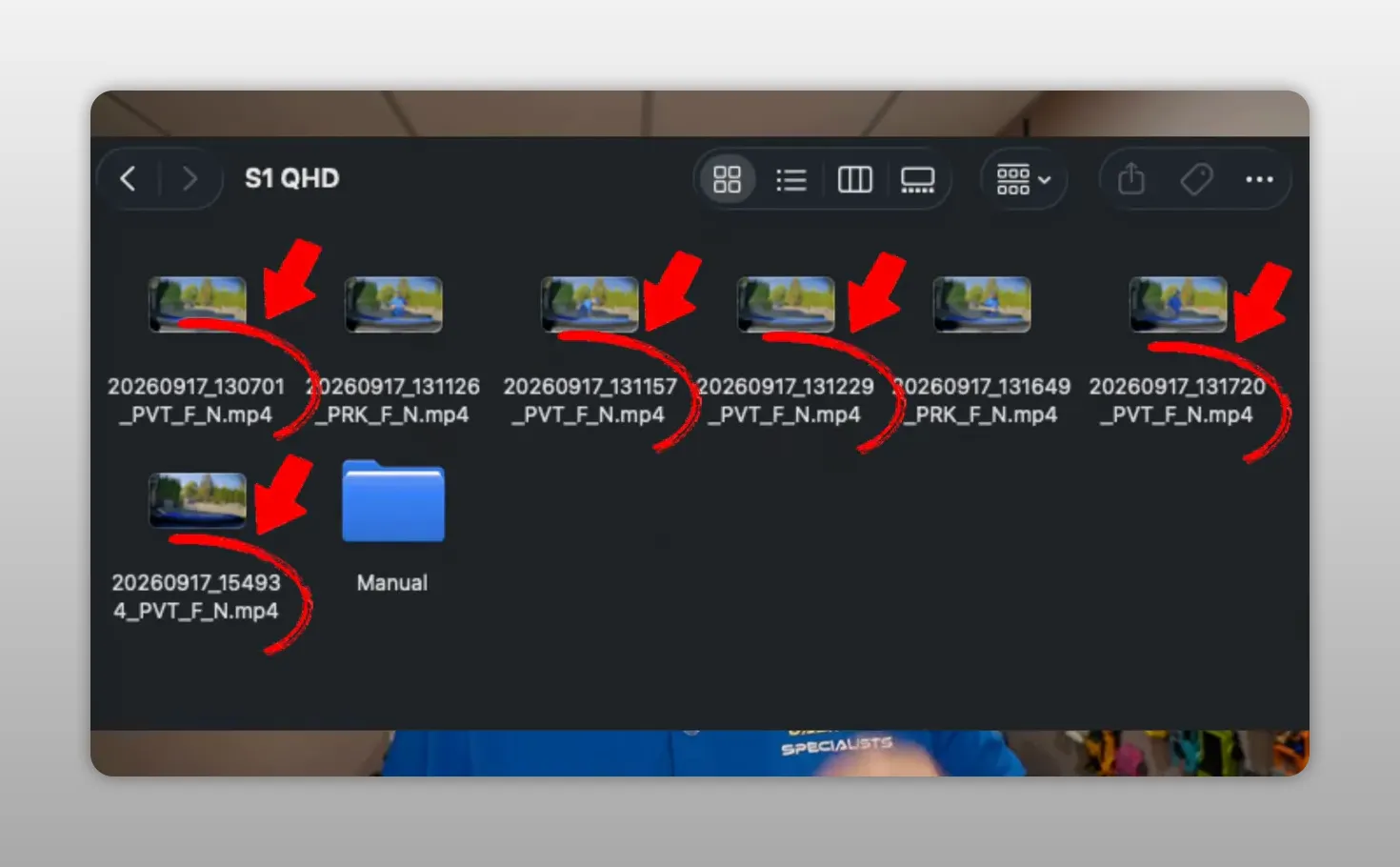
That organization is a real practical advantage. If an incident happens while you are parked, you do not want to scroll through hours of time-lapse footage trying to find it. You want a clearly identified event folder.
Which Parking Mode Is Right for You?
There is no one answer for every vehicle. The right choice depends on the type of coverage you care about most.
- Choose active Viofo parking modes if you want continuous low-bit-rate recording or motion coverage that can catch non-impact incidents, such as scratches and side rubs.
- Choose Vueroid Extreme Low Power Mode if battery consumption is your top concern and you mainly want evidence of a significant impact.
- Choose Vueroid hybrid parking mode if you want stronger coverage for the first part of a stop, followed by extremely low battery draw for longer parking periods.
- Prioritize event organization if you want impact clips separated into a dedicated parking-event folder instead of searching through general parking recordings.
Both of these dash cams can provide parking protection, but their strengths are different. The Viofo A229 Plus offers more time-lapse frame-rate control and active recording options. The Vueroid S1QHD stands out for extremely low current draw, buffered parking-event footage, hybrid operation, and event-file organization.
The key question is simple: when something happens in a parking lot, do you prefer continuous footage to review later, or a low-power system that wakes for serious impacts and makes those events easy to find?
For more options, you can browse dash cams or explore our dash cam resources.
Frequently Asked Questions
Does Vueroid Extreme Low Power Mode record scratches or keying?
No. Extreme Low Power Mode is designed to wake up after a significant impact, so non-impact damage such as scratching, keying, or rubbing may not trigger a recording.
Which dash cam parking mode uses less battery power?
Vueroid Extreme Low Power Mode uses about one milliamp of current. The Viofo A229 Plus parking modes discussed here use approximately 300 milliamps.
Can the Viofo A229 Plus record continuously while parked?
Yes. Its low bit rate parking mode records continuously at a reduced bit rate, which reduces storage use while retaining ongoing coverage.
What is Vueroid hybrid parking mode?
Hybrid parking mode runs time lapse or motion detection for a selected period, then switches automatically to Extreme Low Power Mode for longer-term battery protection.