
Vueroid S1 QHD Dash Cam Unboxing: What You Get Inside
The Vueroid S1 QHD is the 2K version of the S1 dash cam lineup. It is built for drivers who want dependable front and rear recording, strong low-light performance, parking protection, and the flexibility to add interior coverage when needed, all at a more affordable price point than the S1 4K.
Here is exactly what comes in the box, how the hardware fits together, and a few small setup details that make a big difference in the video quality you get from day one.
The Vueroid S1 QHD Camera System
The main front camera has the same general design as the S1 4K. It is a compact screen-equipped camera with a detachable windshield mount, making it practical to remove the camera body without having to disconnect all the wiring.
The S1 QHD is available in the following configurations:
- Front and rear camera
- Front, rear, and interior camera
That flexibility matters. A standard front and rear setup gives you coverage in both driving directions, while the interior-camera option is useful for rideshare drivers, commercial vehicles, and anyone who needs cabin coverage.
Front Camera Inputs and Mount
On the front camera, there are dedicated connections for power, the rear camera, and an optional interior camera, along with the on and off switch. The GPS antenna is integrated directly into the windshield mount rather than the camera body itself.
Once the mount is installed, the cables remain connected to the mount. You can then detach the front camera from it without pulling out the power or camera cables. That is a clean design and makes removing the unit much easier.
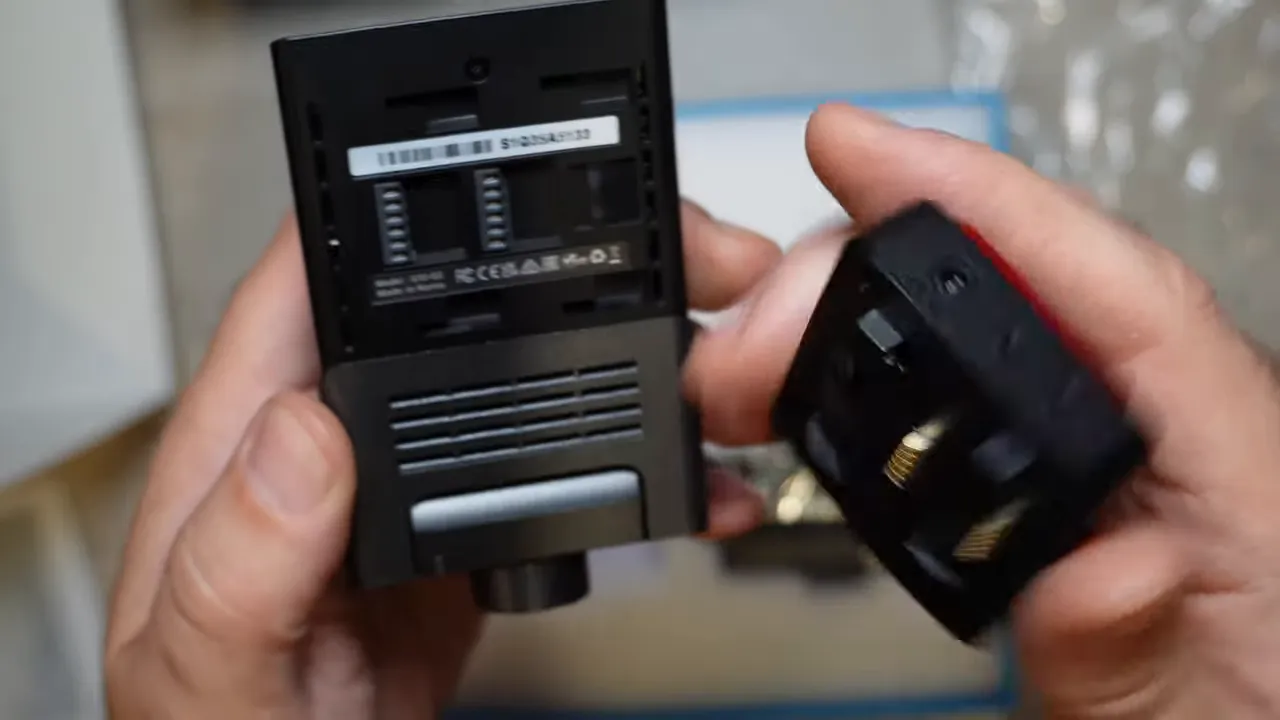
The camera supports microSD cards up to 512GB. Its USB-C port can be used with the included USB-C to USB-C cable for transferring recorded footage.
Storage is not a place to cut corners. A dash cam writes video continually, so use a reliable card designed for that workload.
Front Camera Controls
The buttons on the face of the S1 QHD provide direct access to the functions used most often:
- Manual recording button: Protects an important clip when something happens on the road.
- Microphone button: Turns audio recording on or off.
- Wi-Fi button: Connects the dash cam to its companion app.
- View button: Switches the display between front, rear, and interior camera views when applicable.
- Menu controls: Lets you navigate settings directly on the camera.
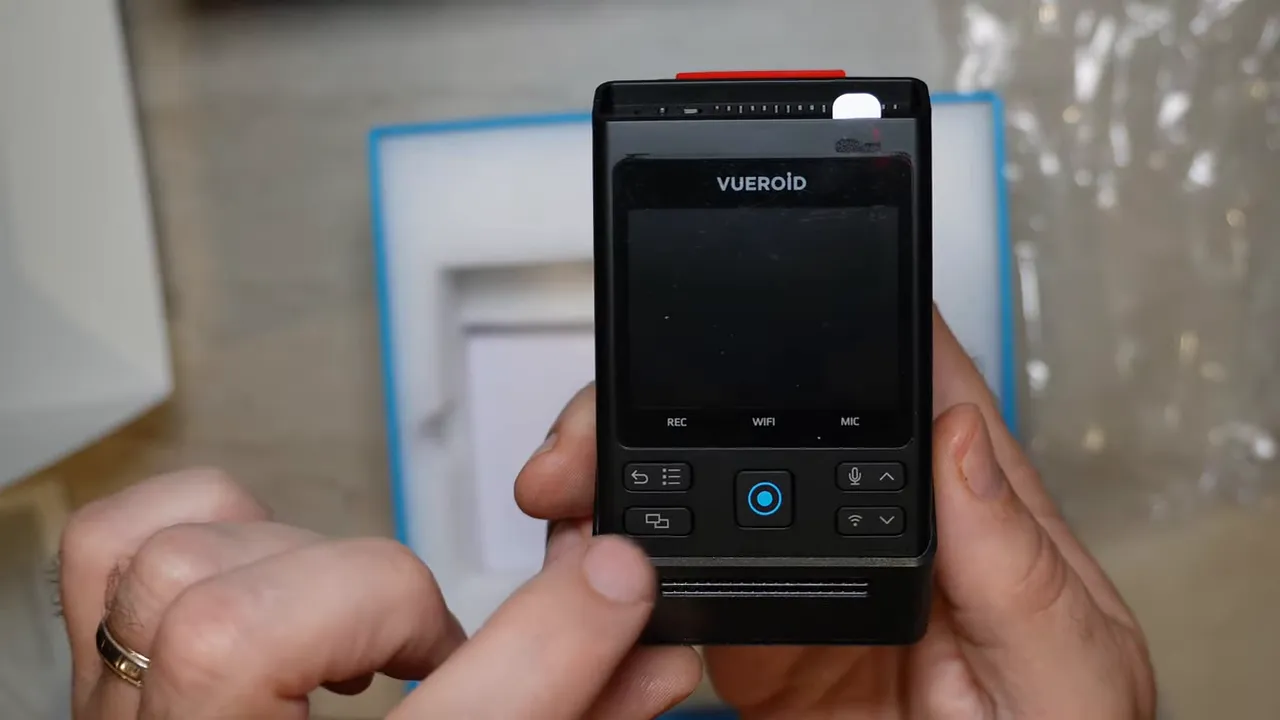
Rear Camera and Image Sensors
The included rear camera is compact and uses 3M adhesive for windshield mounting. Its angle adjusts up and down, so it can be aimed properly once positioned on the rear glass.
Both the front and rear cameras use Sony STARVIS 2 IMX675 image sensors. This is important for a 2K front and rear dash cam because image sensor performance has a major effect on usable footage, especially when lighting is less than ideal.
The front camera lens can also rotate flat. That is particularly helpful in commercial-grade vehicles where windshield angle and camera positioning can be different from a typical passenger vehicle.
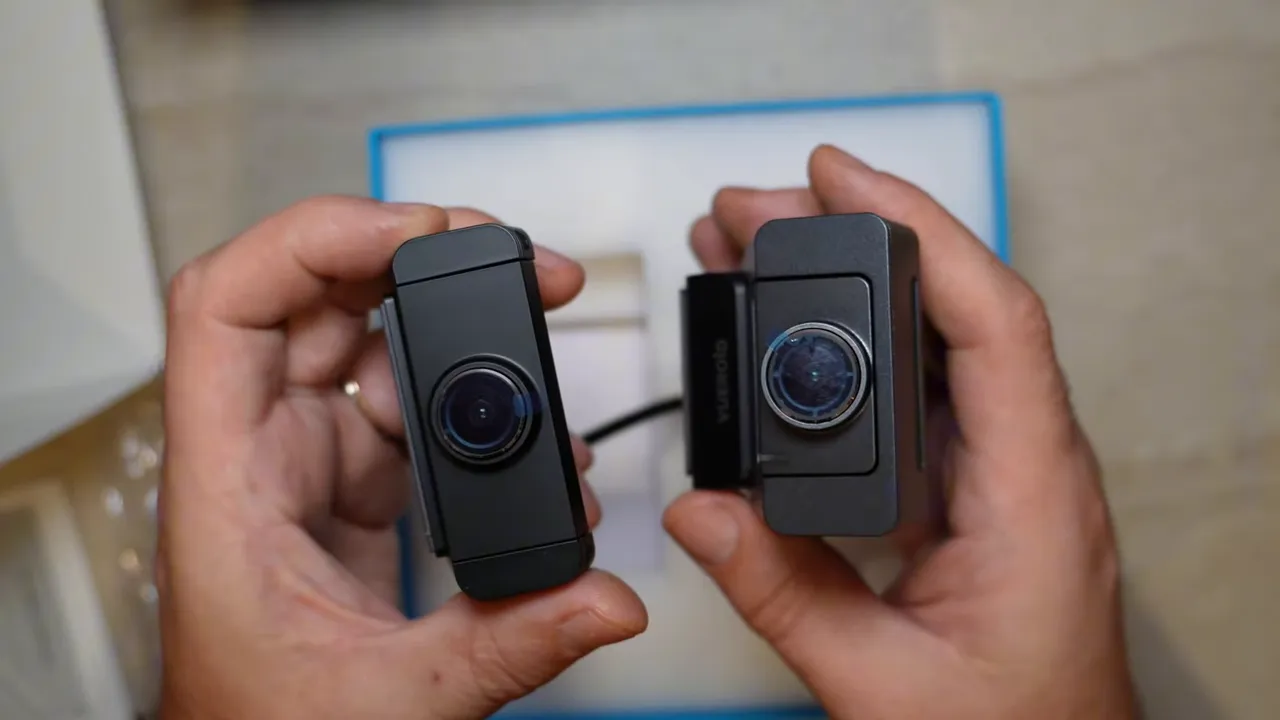
Everything Included in the Box
The Vueroid S1 QHD package includes the hardware and accessories needed for a clean installation.
- Quick start guide
- Full multilingual user manual
- Front dash camera and detachable GPS mount
- Rear camera
- Hardwire cable with constant power, ignition, and ground wires
- Rear camera connection cable
- USB-C to USB-C data transfer cable
- Cigarette lighter power cable
- Replacement adhesive pads for the front and rear cameras
- Wire-management adhesive clips
- Panel popper tool
- Polarized CPL lens filter
- Microfiber lens-cleaning cloth
The replacement adhesive is a useful inclusion. If a windshield ever needs to be replaced, you have additional mounting material available for reinstalling the front or rear camera.
The cigarette lighter cable is also in the box, although it is less common to use it on newer vehicles. Many newer vehicles no longer have a convenient front cigarette lighter socket, and a hardwired connection is generally the better route for a tidy installation and parking-mode capability.
Installing the CPL Filter Correctly
The included circular polarizing lens, or CPL filter, helps reduce glare in recorded footage. It is one of those little accessories that can make a real difference when dashboard reflections, bright sunlight, and windshield glare are affecting the image.
There are a few important things to get right before installation.
Remove All Shipping Film
First, remove the blue protective cover from the front camera lens. It is there to protect the lens before installation, not to stay on the camera. Leaving it in place will reduce video quality.
It sounds obvious, but it is an easy mistake to make. We regularly see cameras installed with the blue shipping protection still covering the lens.
Align the CPL Filter With the Mount
The CPL filter also has a protective layer and an alignment mark. Match the small white line on the filter with the notch on the camera mount before fitting it in place. Once the filter is properly installed, remove its protective film as well.
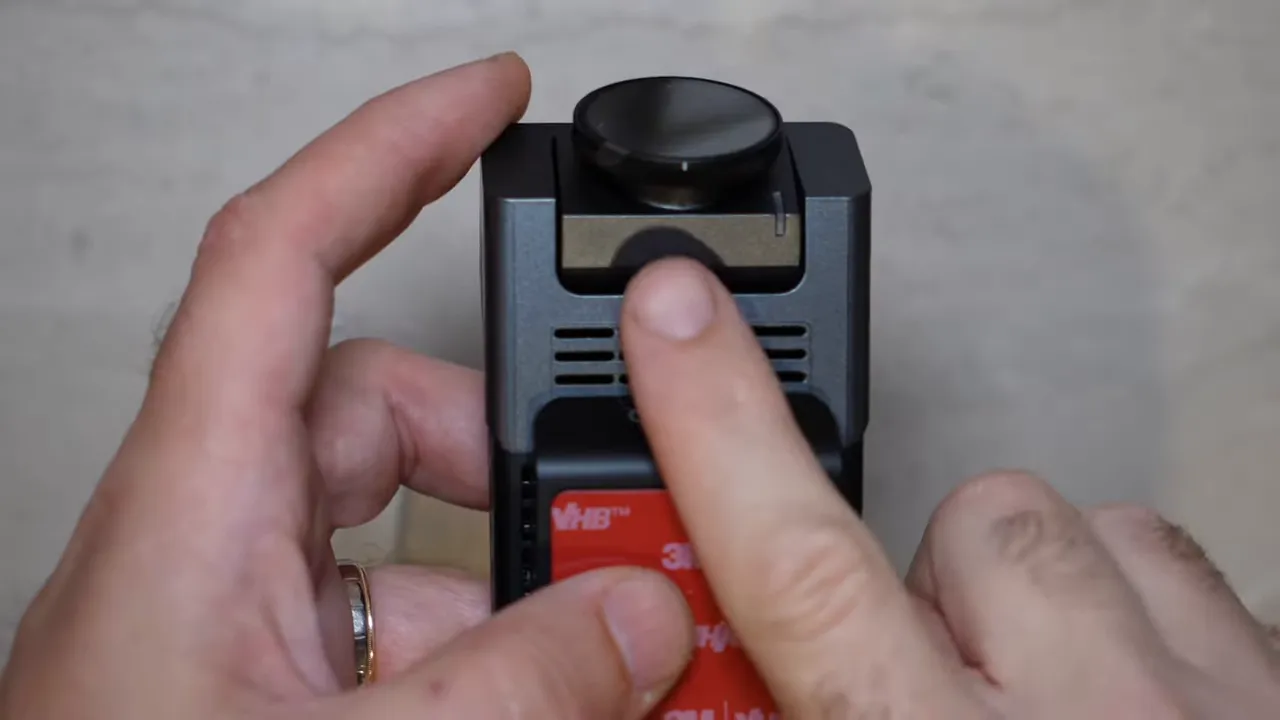
Use the included white microfiber cloth whenever the lens or filter needs cleaning. Keeping fingerprints, dirt, and haze off the lens is a simple way to protect image quality.
Memory Card Included With Safe Drive Solutions Purchases
When purchasing a Vueroid S1 dash cam from Safe Drive Solutions, a Vueroid 128GB microSD card is included in the box. That gives you a reliable card ready for recording rather than leaving you to source one separately.
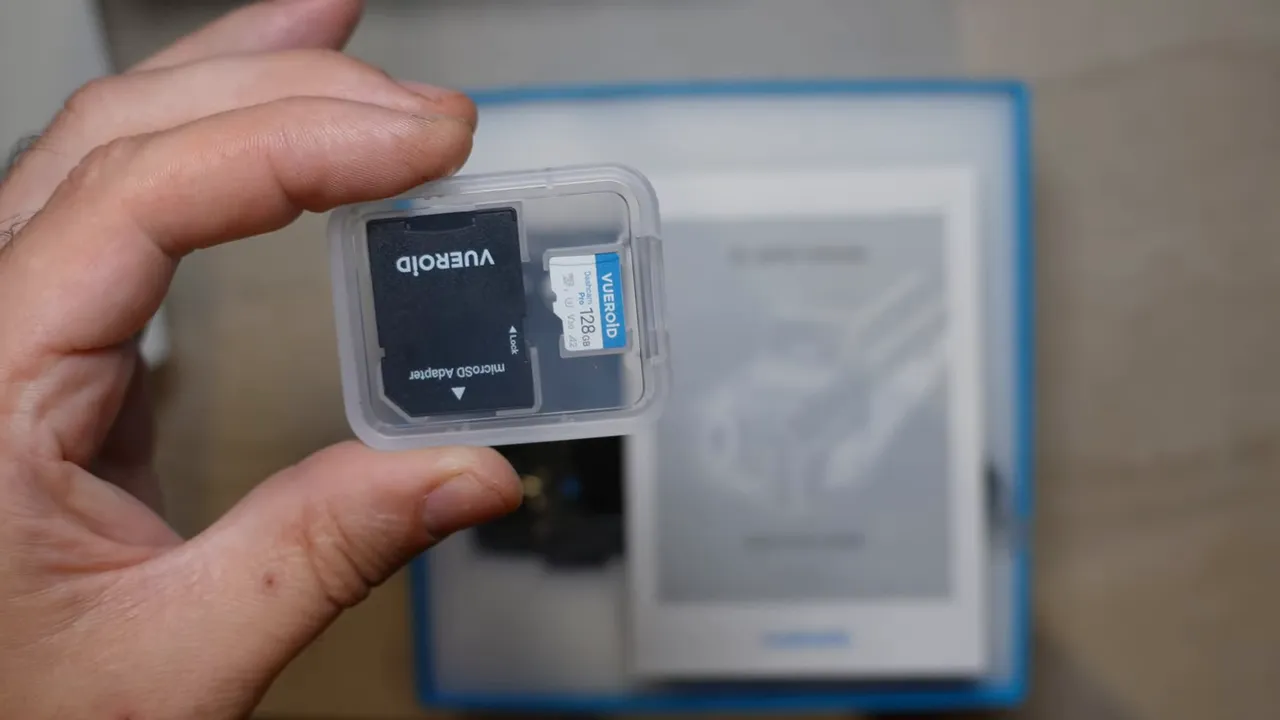
A 128GB card provides plenty of recording space for everyday use, while the camera’s support for up to 512GB gives you room to increase capacity if your recording needs are higher.
Why the S1 QHD Is a Strong Choice for EVs and Hybrids
The Vueroid S1 QHD keeps several of the useful features people look for in a modern dash cam:
- 2K QHD recording
- Sony STARVIS 2 sensors in both front and rear cameras
- HDR support
- Extreme low-power mode
- Low battery protection options optimized for EV + Hybrid vehicles
- Front, rear, and optional interior camera flexibility
- A lower price point than the S1 4K
Its extreme low-power mode is one of the reasons this is a particularly good fit for EVs and hybrid vehicles. It offers a practical way to consider parked-vehicle protection while being mindful of power use.
If you are deciding between QHD and 4K in the Vueroid lineup, our Vueroid S1 vs. D21 4K comparison can help clarify which system best fits your vehicle and recording priorities.
Final Thoughts
The Vueroid S1 QHD is a well-rounded 2K dash cam package. You get front and rear Sony STARVIS 2 image sensors, a detachable GPS mount, USB-C data transfer, support for large-capacity microSD cards, a glare-reducing CPL filter, and the option to build out to a three-channel system.
Most importantly, take a moment during installation to remove every protective film, aim both cameras properly, and use a dependable memory card. Those small details help ensure the camera is ready to provide clear video evidence when it matters.
For a professional hardwired setup with concealed wiring in Greater Vancouver or Toronto, explore our dash cam installation service.