
Vueroid D20 and D21 Dashcam Firmware Update: New Password Requirements (and How Not to Lose Your Footage)
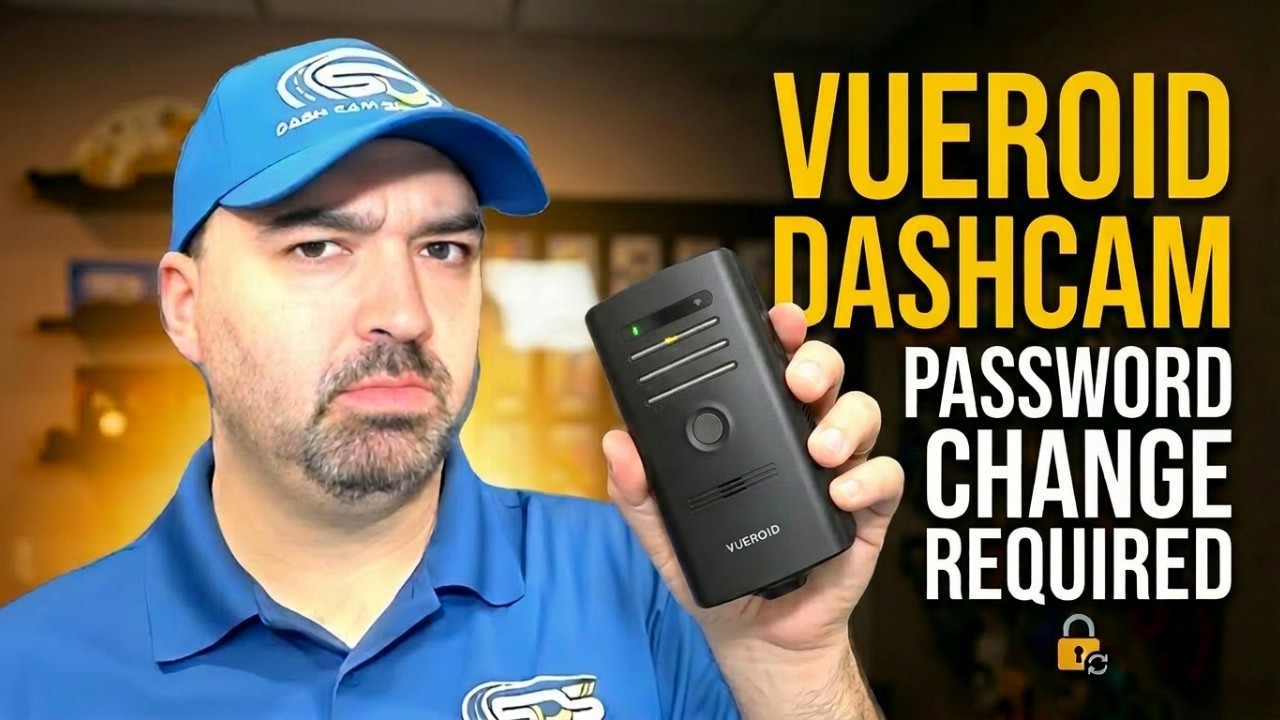
Two of the most common things dash cam owners run into are forgetting Wi-Fi passwords and being surprised by firmware prompts. Vueroid D20 and D21 are now rolling out security updates, and along with that comes a new expectation: you will be prompted to change your password, and the app will not let you use the device until that change is made.
In this guide, I’ll walk through why these security updates are happening, what the new password rules are, and exactly what you need to do if you ever need to reset the Wi-Fi password. Most importantly, you’ll learn which button combinations to avoid so you do not accidentally format your microSD card and lose saved video.
Why you’re being asked to change the default password
For D20 and D21, the security push is not just a “nice to have.” The update is being driven by regulations and requirements around the world.
As described for these units, the EU, Japan, Australia, and the Middle East are moving toward mandatory behavior for aftermarket devices. The requirement is essentially this: when you log in, the system must prompt you for an immediate password change. Default passwords are no longer allowed to be used.
That’s why you might see a prompt the next time you connect through the Vueroid app. The app cannot be used until you change the password if you are currently using the default credentials.
Why the S1 behaves differently than the D20 and D21
If you’re familiar with the Vueroid S1, you might be wondering why this feels different. The S1 uses both Bluetooth and Wi-Fi, and the device rotates through passwords automatically each time you log in. That rotation is part of how it handles security without requiring you to manually set a persistent password.
The D20 and D21, by contrast, use Wi-Fi only. Because of that, the first login requires you to set your own specific characters for the password.
When the password prompt appears (and what happens next)
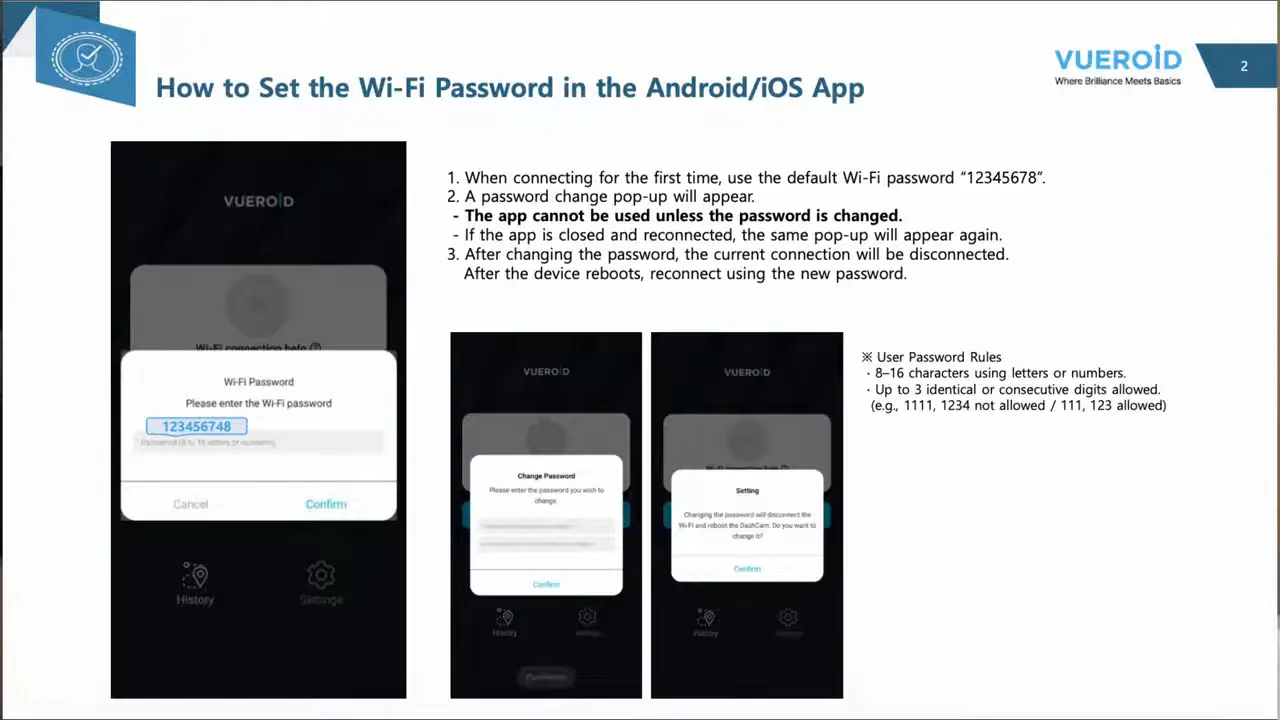
On the D20 or D21, when you first log into the Vueroid app and the app detects that you are connecting with the default password, a password change popup appears.
Key point: the app cannot be used until the password is changed.
If you close the app and reconnect, the same password change popup will appear again until you complete the change.
Once you do change the password, the current connection is disconnected and the device reboots. Then you reconnect using the new password.
The new D20 and D21 Wi-Fi password rules
After the prompt, your new password must follow the rules below. The goal is to make passwords less predictable while still keeping them easy enough to type in and manage.
- Length: 8 to 16 characters
letters and numbers up to three identical or consecutive digits are allowed
Examples of what’s allowed or not allowed:
-
Not allowed:
1112 3 4(example given:1112 3 4style pattern is rejected) -
Allowed:
111(three identical digits) and123(three consecutive digits) -
Allowed:
1 2 3 4is not the only way to think about it; the rule specifically calls out that111and123type patterns can be acceptable within the “up to three” limitation
If you ever get stuck during the change process, the fastest fix is to double-check character count (8 to 16) and avoid long runs that look like a simple sequence.
If you forget your password: safe ways to reset Wi-Fi
Forgetting a password happens. If you end up in that situation, there are ways to reset the Wi-Fi password on these units.
Reset method for the D20 Q2 (record + Wi-Fi button)
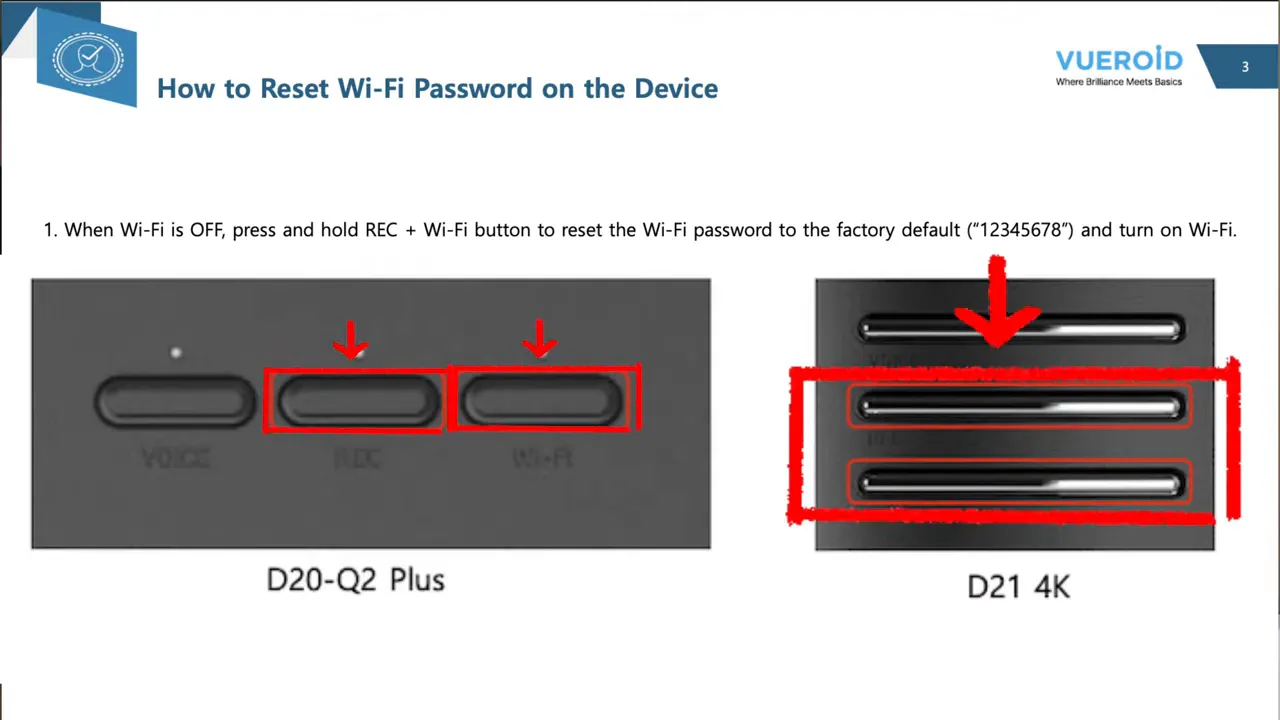
For the D20 Q2 (and using the D20/D21 reset behavior described), you can reset the Wi-Fi password to the factory default by doing the following:
- Locate the Record button and the Wi-Fi button.
- Push and hold the Record button together with the Wi-Fi button.
- Hold until the device resets and enables Wi-Fi.
- The Wi-Fi password will reset to the factory default: 1 2 3 4 5 6 7 8.
After the reset, you will be prompted again to change the password (since default passwords are no longer allowed).
Important warning: avoid the wrong buttons or you can lose your footage
This is the part I do not want anyone to skim. When people attempt to “reset” the device from memory, mistakes are easy. And with the D20 and D21, the consequences can be serious.
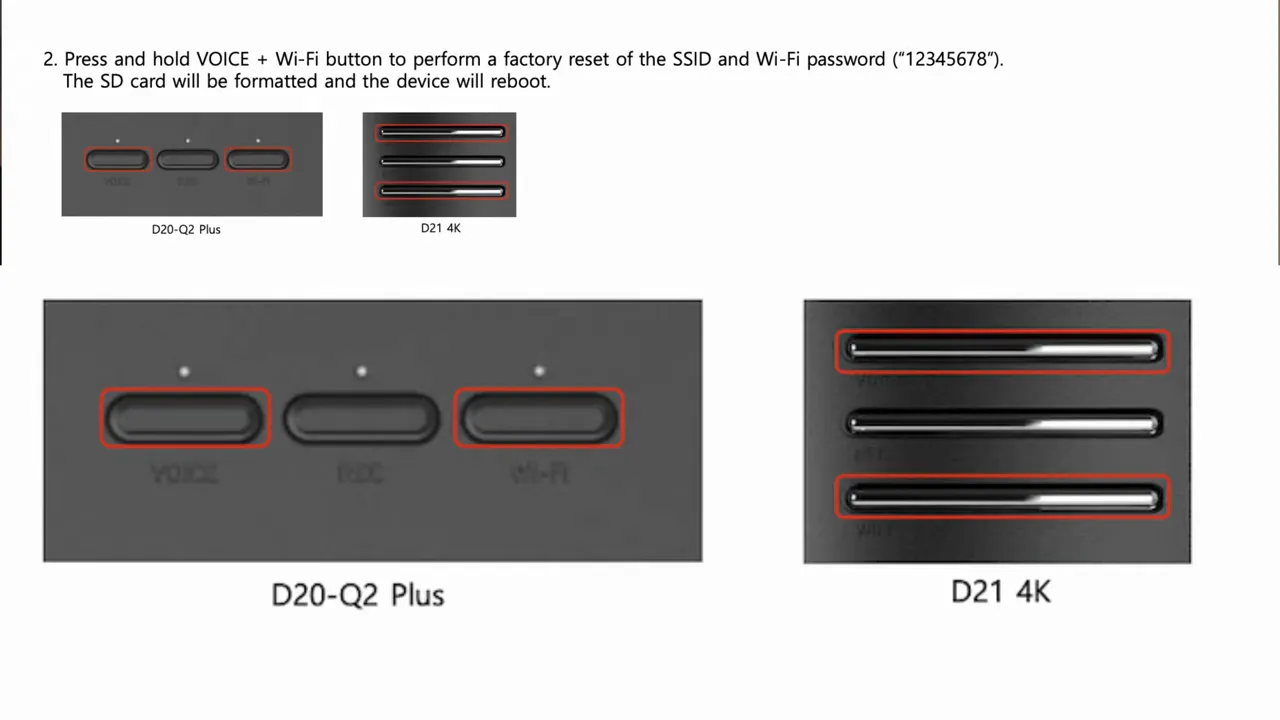
The transcript calls out a specific risk: if you accidentally press the Voice and Wi-Fi button combination on the D20 or D21, the unit can perform a factory reset.
A factory reset formats the SD card and the device reboots. That means you lose your saved video footage.
What to do instead
If your goal is to regain access to your Wi-Fi settings without wiping video, you should only use the button combination intended for Wi-Fi password reset: Record + Wi-Fi.
Remember: pushing the wrong buttons can format the microSD card, and then the footage is gone.
Why this is rolling out globally (even if you’re in North America)
You might be thinking: “Okay, but I’m not in the EU, Japan, Australia, or the Middle East. Why does this affect me?” It’s a fair question.
The reasoning given is that regulations are often adopted locally first and then tend to expand globally over time. Vueroid is rolling out the behavior globally and proactively changing how logins work.
So even if you are in Canada or the United States today, you should expect this kind of prompt to arrive eventually through firmware updates and app behavior changes.
What this means for other dash cam brands too
This update is not limited to Vueroid. The same transcript also explains why other manufacturers have been moving toward Bluetooth and Wi-Fi designs.
Bluetooth plus Wi-Fi can help “roll” or generate a new password each time you connect because the connection method supports changing credentials automatically. That is also why the S1 uses Bluetooth and Wi-Fi.
The core takeaway is simple: manufacturers that use only Wi-Fi may eventually have to adjust similar behaviors, because default-password usage becomes harder to justify under evolving security expectations.
Practical checklist before your firmware update prompt hits
You may not be able to prevent the firmware prompt, but you can be ready for it. Here’s a practical approach based on the behavior described for the D20 and D21:
- Plan to change your password immediately if a prompt appears. The app will not work until it’s done.
- Create a password that meets the rules: 8 to 16 characters using letters or numbers, avoiding simple patterns that look like obvious digit sequences.
- Save the password somewhere safe so you do not need to reset it later.
- If you must reset: use Record + Wi-Fi to reset Wi-Fi credentials to the factory default.
- Do not use Voice + Wi-Fi if you want to avoid wiping the microSD card.
Bottom line
The Vueroid D20 and D21 firmware update introduces a security requirement you cannot ignore: default passwords can’t stay in use. When the prompt appears, changing the password is mandatory for app access, and the device will reboot and require you to reconnect using the new credentials.
If you ever forget your Wi-Fi password, reset it carefully using Record + Wi-Fi to avoid formatting the SD card. That one button-choice detail is the difference between restoring access and losing saved footage.
Drive safe.