
Hyundai Tucson dash camera battery pack installation
Installing a dedicated battery pack for a dash camera keeps your parking mode reliable without draining the vehicle battery. On a 2023 Hyundai Tucson we fitted an iRoad Power Pack Max 8 and hardwired a Vueroid S1 front-and-rear dash camera combo so everything stays hidden, safe, and tied into the car's electrical system the right way.
What we installed
The core components used for this setup:
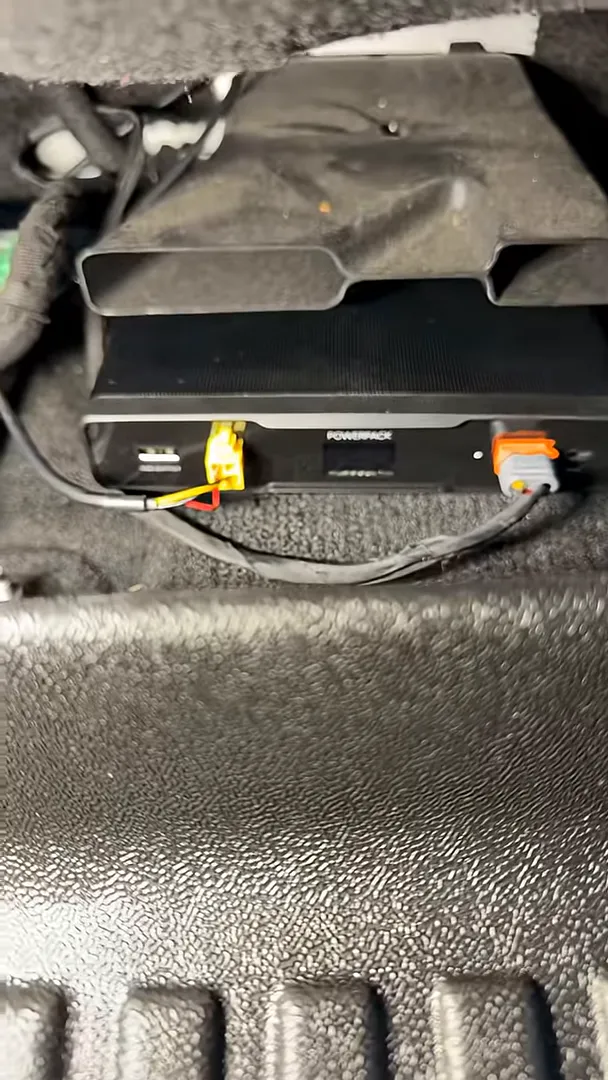
- iRoad Power Pack Max 8 mounted under the front driver seat
- Hardwired power run into the vehicle fuse box using spare circuits
- Vueroid S1 front and rear dash camera combo powered from the battery pack
Where to mount the battery pack
Mounting the battery pack under the front driver seat is a great balance of safety and stealth. Placing the unit beneath the heater vent keeps it out of sight and away from direct impacts, while allowing the wiring to be routed cleanly along the factory harness so nothing is exposed in the cabin.
Routing and hiding the wiring
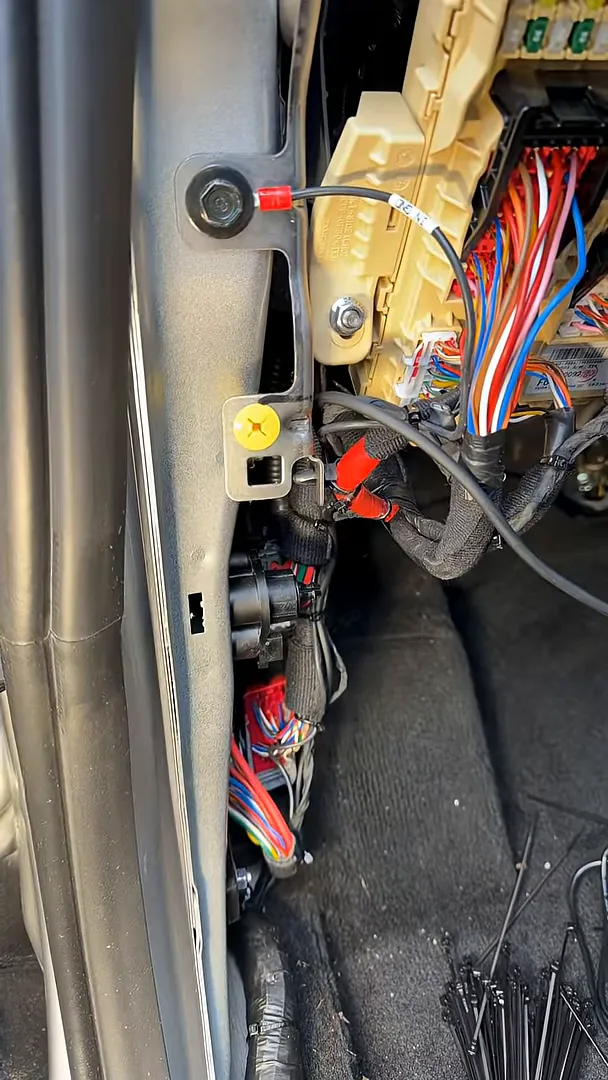
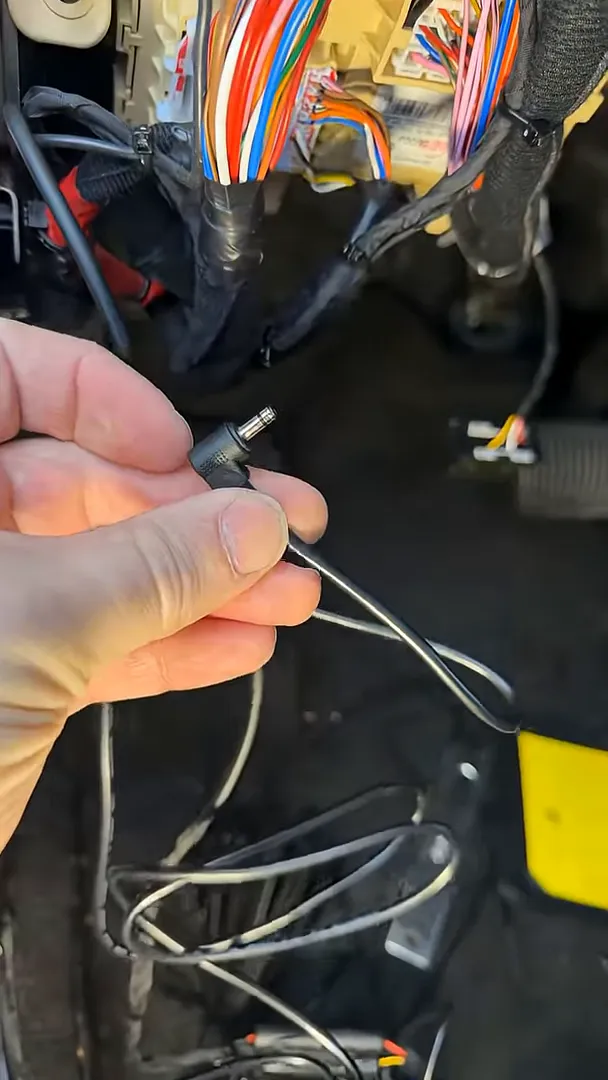
All the cabling runs along the factory wiring harness, into the kick panel, and up to the fuse box. We secure the battery pack wiring with tie straps to the factory loom so nothing rattles or hangs loose. That also makes future troubleshooting or removal easier because the installation follows factory routing rather than creating new bundles.
Grounding the pack and choosing power circuits
For the ground, we use a bolt that is unlikely to be removed during normal service. On some vehicles, installers mistakenly use bolts that are frequently disconnected when removing trim or dropping the dash, which leads to intermittent or lost ground connections.
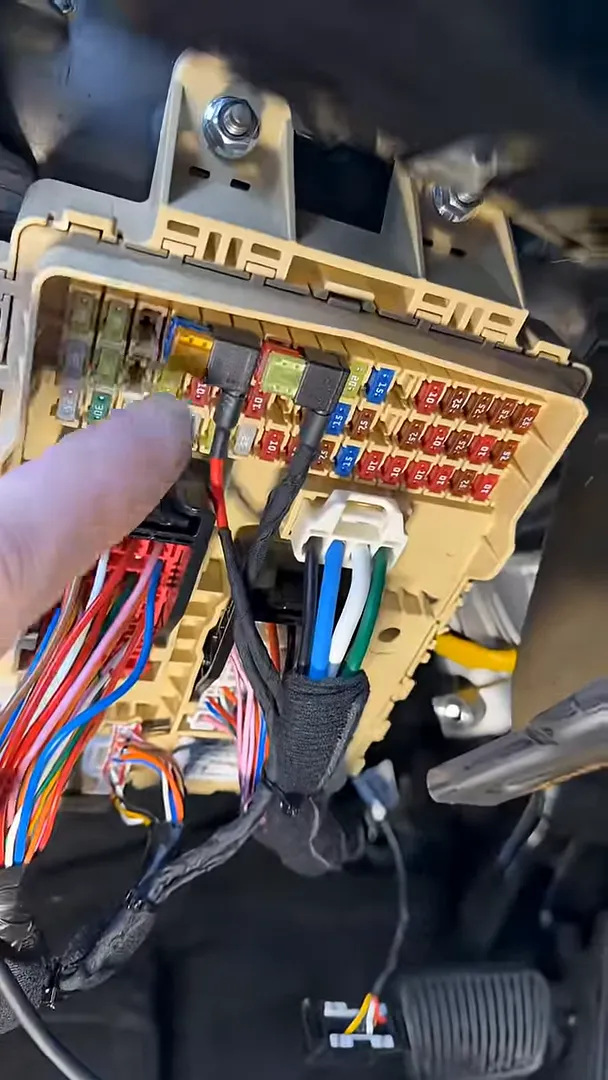
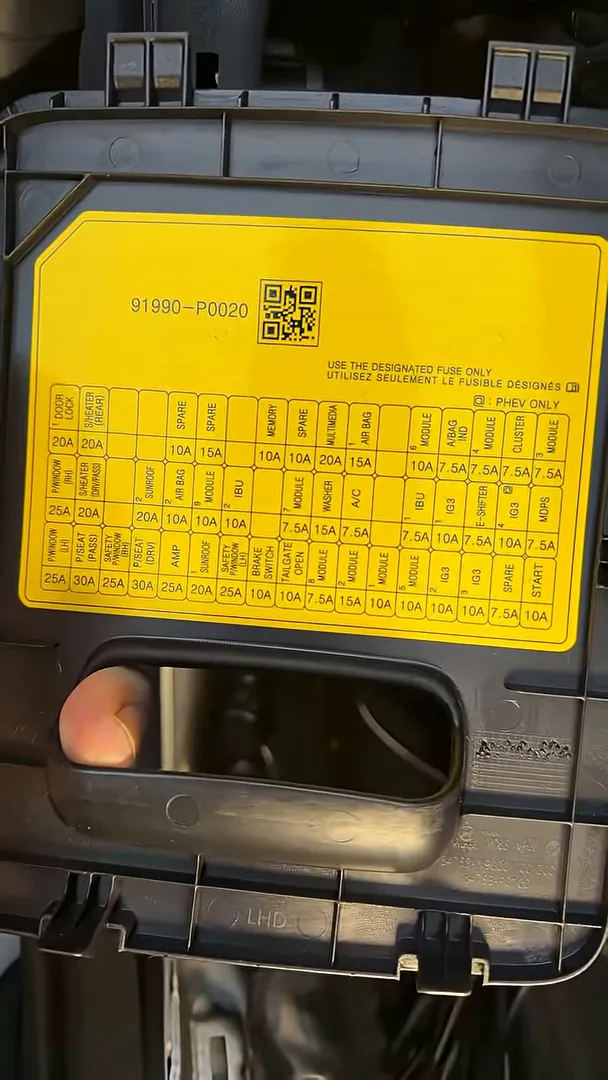
Instead of modifying factory circuits, we tap into spare fuses for both ignition and constant power. This approach avoids altering existing vehicle circuits and minimizes the risk of interfering with critical systems like airbags or other safety features. Some Tucson fuse panels include blank slots that look usable but have no pins, so those cannot be used; when spare circuits are available, they are the preferred option.
Final connections and powering the dash camera
Once the battery pack and fuse taps are secured, the power cable is routed up to the front to feed the Vueroid S1 front and rear camera combo. Everything is tied into the factory wiring and neatly routed so the dash cameras get a clean and reliable power source from the battery pack instead of the car battery.
Installation checklist and tips
- Choose a secure mounting spot that keeps the pack hidden and away from impact or excessive heat.
- Use a reliable ground bolt that will not be removed during routine maintenance.
- Tap spare fuses for ignition and constant power rather than splicing into existing circuits.
- Avoid blank fuse slots that have no pins—verify physically before relying on them.
- Secure wiring with tie straps to the factory harness to prevent noise and wear.
- Test the system (camera power, parking mode, and battery pack behavior) before reassembling trim panels.
Why this approach works
Using a dedicated battery pack keeps parking mode active without risking a drained vehicle battery. Tapping spare fuses avoids modifying or risking existing systems. Routing wiring along the factory harness preserves vehicle integrity and keeps the install clean and serviceable. Taken together, these choices make for a reliable, professional installation that protects both the camera system and the vehicle.