
Botslab G980H Dashcam Real World Driving Test Results
There is one thing that jumps out right away with the Botslab G980H, and it has nothing to do with image quality.
It is the naming mess.
You search Botslab G980H and suddenly you are looking at multiple versions, different channel counts, different bundles, and enough overlap to make it hard to tell what anyone is actually reviewing. That matters, because when a dash cam shares the same model number across several variations, it gets a whole lot harder to know what specs you are really buying.
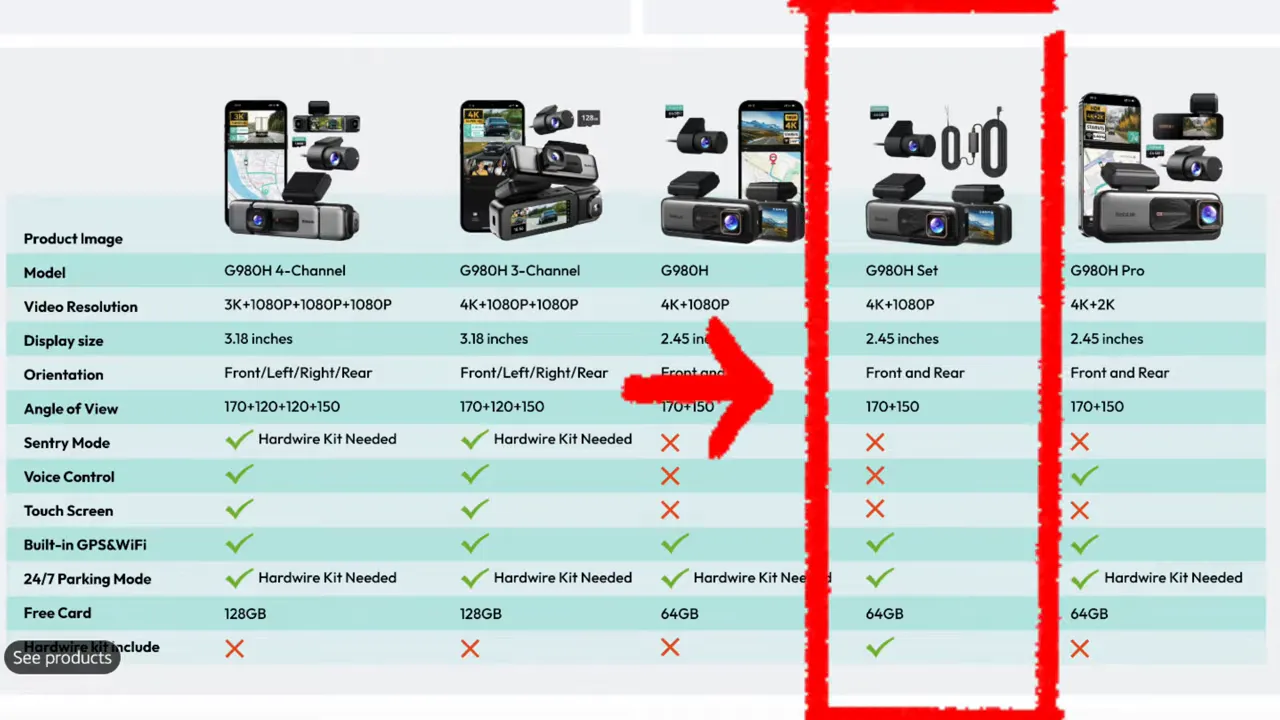
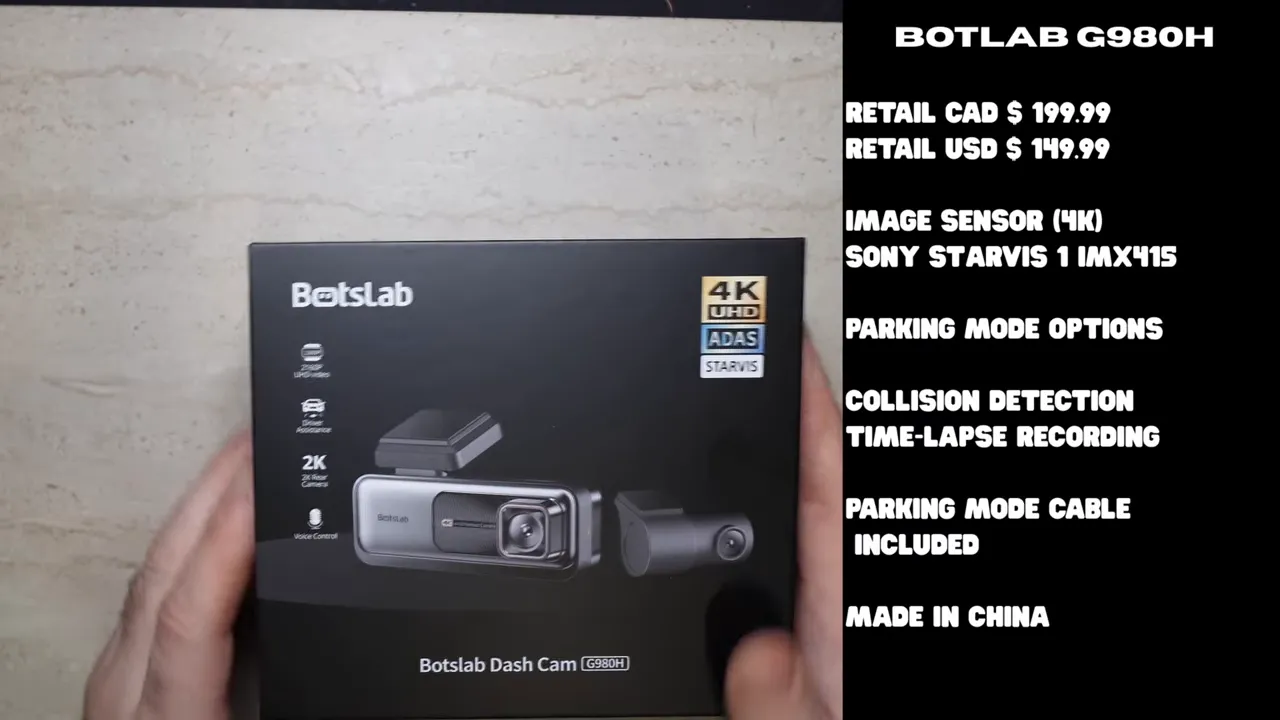
For this test, the unit in question was the Botslab G980H package with the hardwire parking mode cable included. That bundle sells for about $199 CAD or $149 USD, uses a Sony STARVIS 1 IMX415 sensor, and records in true 4K.
On paper, that sounds decent. Real world performance is where things started to fall apart.
What comes with the Botslab G980H
The version tested here includes the hardwire kit in the box, which means you can set it up for parking mode without needing to buy that cable separately.
Botslab offers two parking mode options on this model:
- Collision detection
- Time-lapse recording
The camera is made in China, and again, it uses the Sony STARVIS 1 IMX415. That sensor has been around for a while. It is not the newer STARVIS 2 hardware showing up in stronger performers.
Daytime driving results
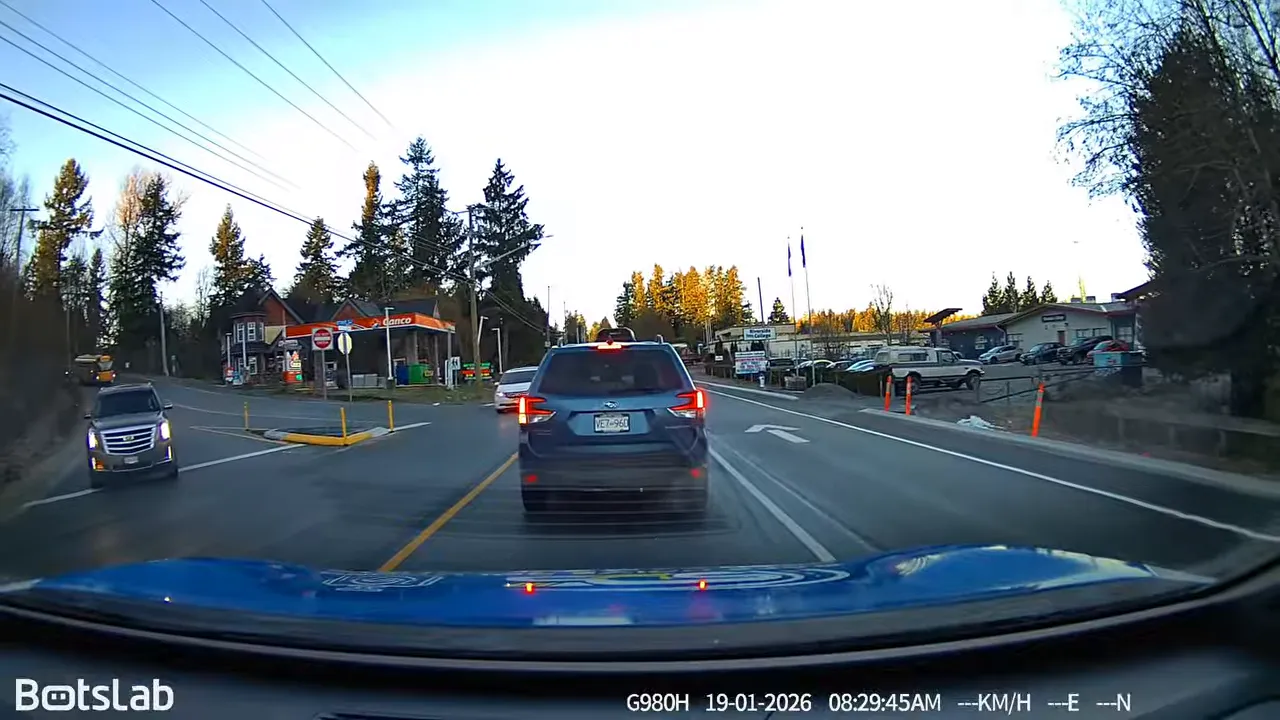
During the day, the Botslab G980H does an okay job with general scene recording. You can make out the road, traffic flow, lane position, and signage. If all you want is broad context, it does that.
But broad context is not the same thing as critical evidence.
That is where the gap shows up fast. In oncoming traffic at normal road speeds, the camera struggled to capture license plates. Testing around 50 to 60 km/h, which is not exactly extreme, showed that plates from passing vehicles were not readable. The only time plate capture became somewhat realistic was at very low speed.
That lines up with what we talk about in our guide on whether a dash camera can pick up license plates. Resolution alone does not guarantee readable plate data. Lighting, glare, frame rate, HDR, and sensor quality all matter.
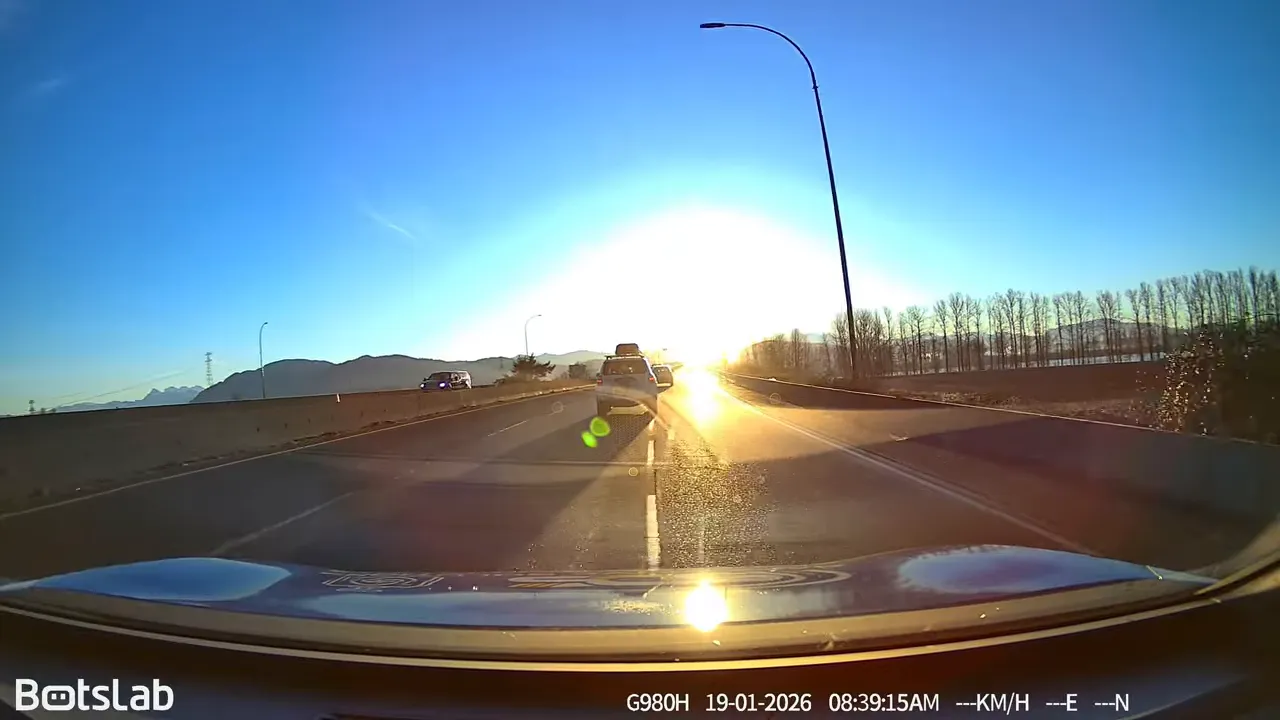
Another big daytime weakness showed up when driving straight into sunlight.
This is one of my favourite tests because it exposes how a camera handles glare and dynamic range. The Botslab basically flared out. Once the sun hit the lens directly, detail dropped hard and the image became much less useful for identifying vehicles or reading anything important.
That is where higher end cameras separate themselves. Compared beside stronger models like the Viofo A329S or Vueroid S1 4K, the difference in glare control is obvious. Those cameras retain more useful detail when the lighting gets ugly.
Night driving is where things really come apart
If daytime performance was mediocre, nighttime performance is the bigger concern.
Every time oncoming headlights appeared, the Botslab G980H produced a lot of flare. That bloom wipes out detail and makes it much harder to catch plates, signs, and vehicle features. Night driving is exactly when a dash cam needs to work harder, not tap out.
The footage also looked less smooth than it should for a 4K camera because this unit records at 25 frames per second, not the more common 30 fps. That may not sound huge on paper, but it does affect motion rendering.
At one point the camera passed a gas station and could barely make out the gas prices. It struggled with the station branding too. That is not a great sign for a 4K-labelled dash cam.
It also appears to be missing HDR, which becomes very noticeable at night. If you are comparing specifications and trying to sort out what really matters beyond flashy marketing, our article on how to choose a dash cam that actually works breaks down why sensor choice, HDR, and parking mode matter more than a simple 4K badge.
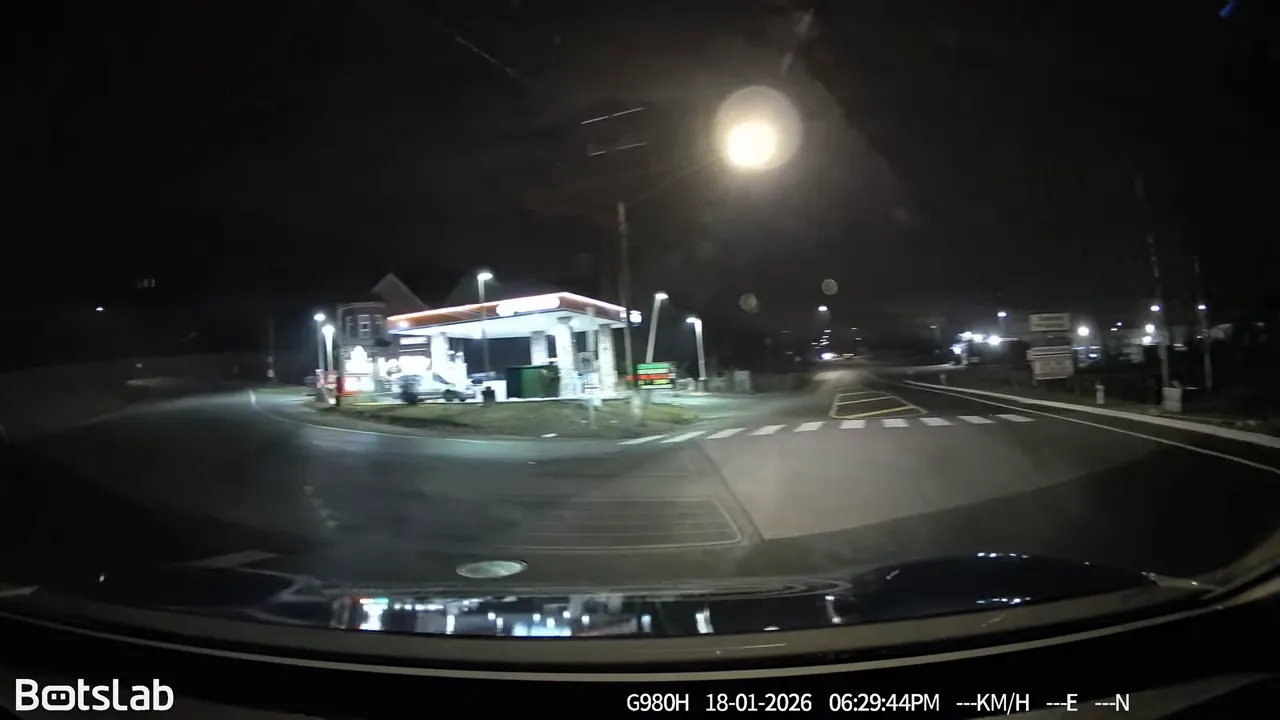
Driving through downtown Mission made the point even clearer. Bright storefront signs were visible enough, but passing vehicles still did not produce dependable license plate captures unless traffic slowed right down. When a white Ford truck passed by, the plate was basically just a white blur.
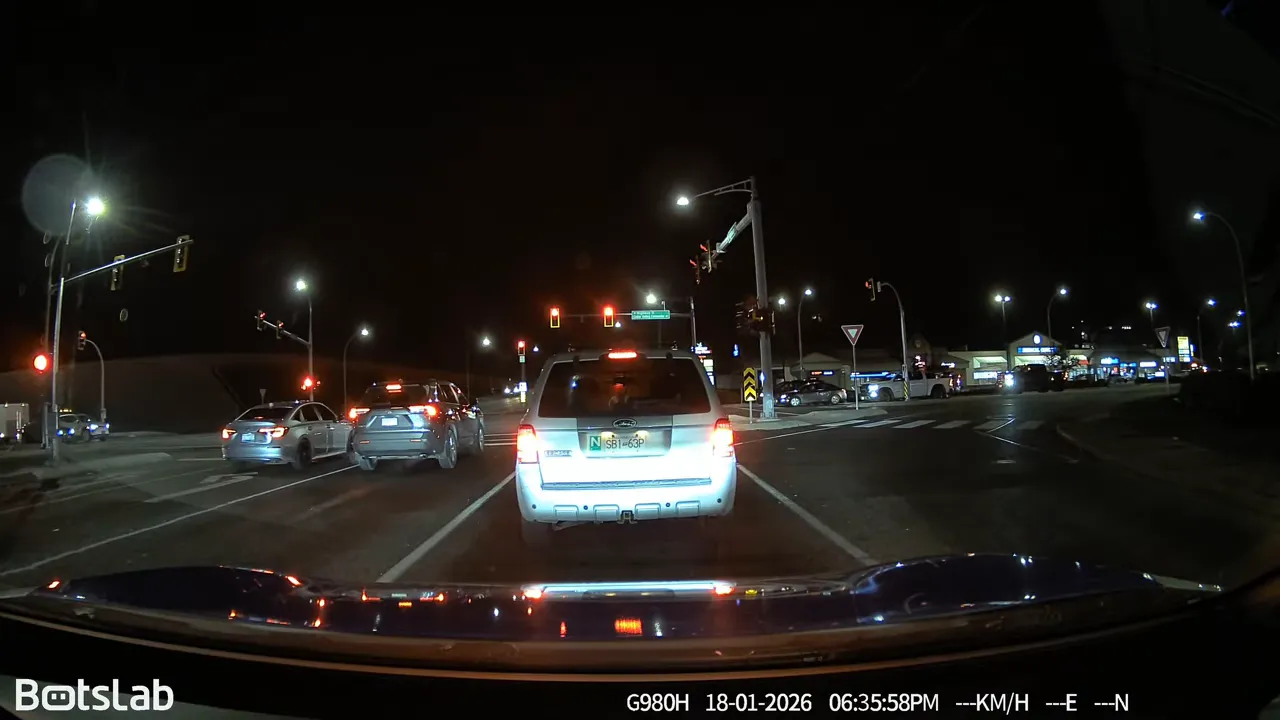
And that is the key issue. If your dash cam only gets a useful plate when you are stopped directly behind another vehicle, that is a pretty limited success case.
Parking mode sounds better than it performs
The G980H package tested here includes the parking mode cable, so yes, you can hardwire it and enable parked recording.
The wiring is standard enough:
- Power
- Ground
- Ignition
But the real issue is not whether it can be connected. The issue is how safely and effectively it runs once connected.
The built-in low voltage protection on the included cable is set at 11.8 volts. In practical use, that often means the camera may not actually shut down until around 11.6 volts. By then, your battery is in rough shape.
That is not where I want to see a parking mode cutoff, especially on newer vehicles. Some modern vehicles, hybrids, and EVs use more sensitive electrical systems or 14-volt battery setups. On those vehicles, poor voltage protection can become an expensive mistake fast.
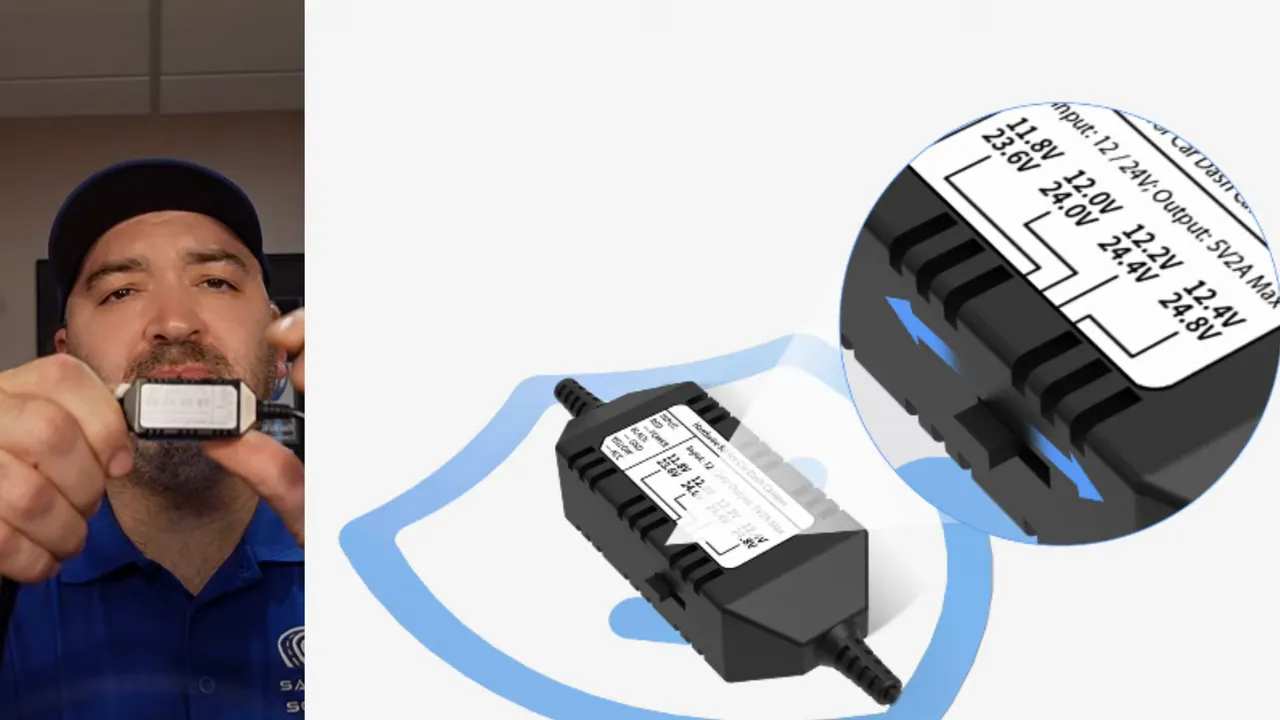
If you are worried about that exact issue, this guide on whether a dash cam can drain your car battery is worth reading. Proper low battery protection settings matter a lot more than most people realize.
By comparison, better hardwire kits from brands like Viofo, Thinkware, and Vueroid usually offer multiple cutoff settings. A Viofo HK4, for example, gives you selectable thresholds like 11.8, 12.0, 12.2, and 12.4 volts. That means you can tune the setup for better battery protection instead of gambling with a single low threshold.
Some newer systems also include settings for EV and hybrid applications, with higher cutoff options in the 13.1 to 13.3 volt range where needed.
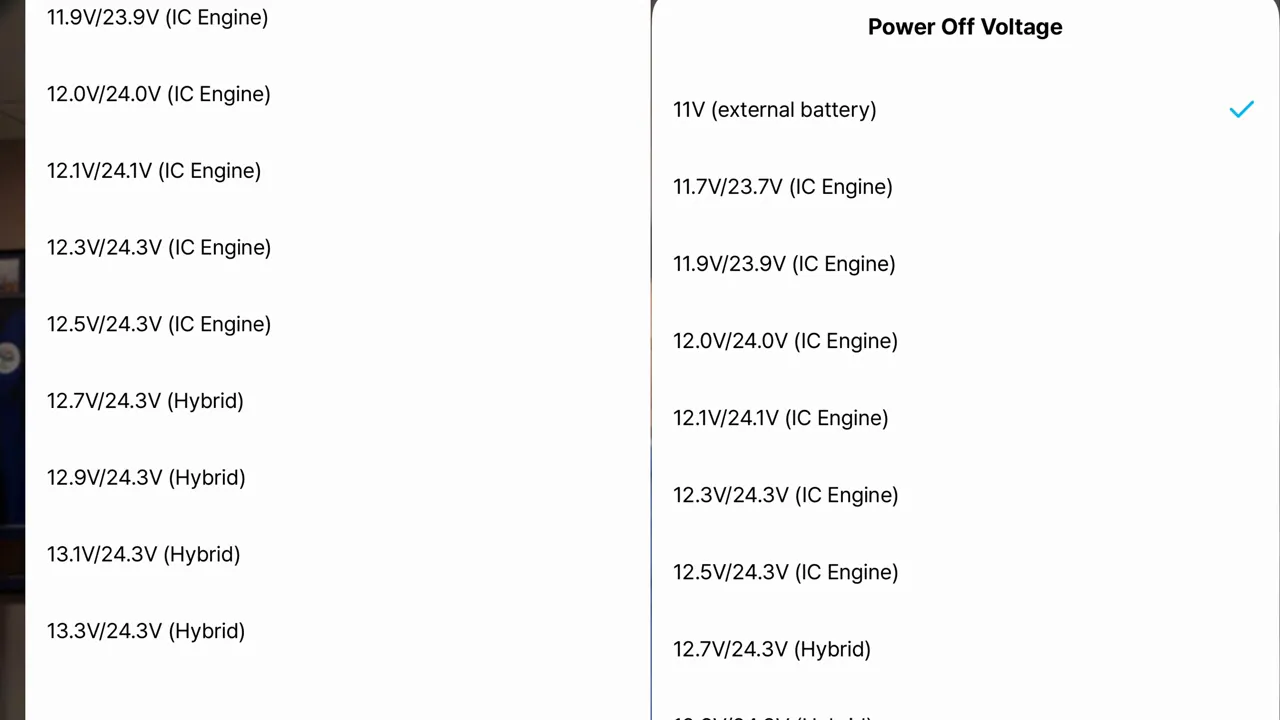
The time-lapse timer options are not ideal either
Even if a hardwire cable has less-than-ideal voltage protection, a short parking mode timer can still help limit wear on the car battery.
That is another place where the Botslab setup misses the mark.
The available time-lapse recording options shown in the app were:
- Disable
- 8 hours
- 16 hours
- 24 hours
That is a problem if you want conservative battery use. A lot of drivers do not need parking mode running all night. Sometimes one hour, two hours, or three hours is more than enough. Better brands often offer shorter timer settings specifically for that reason.
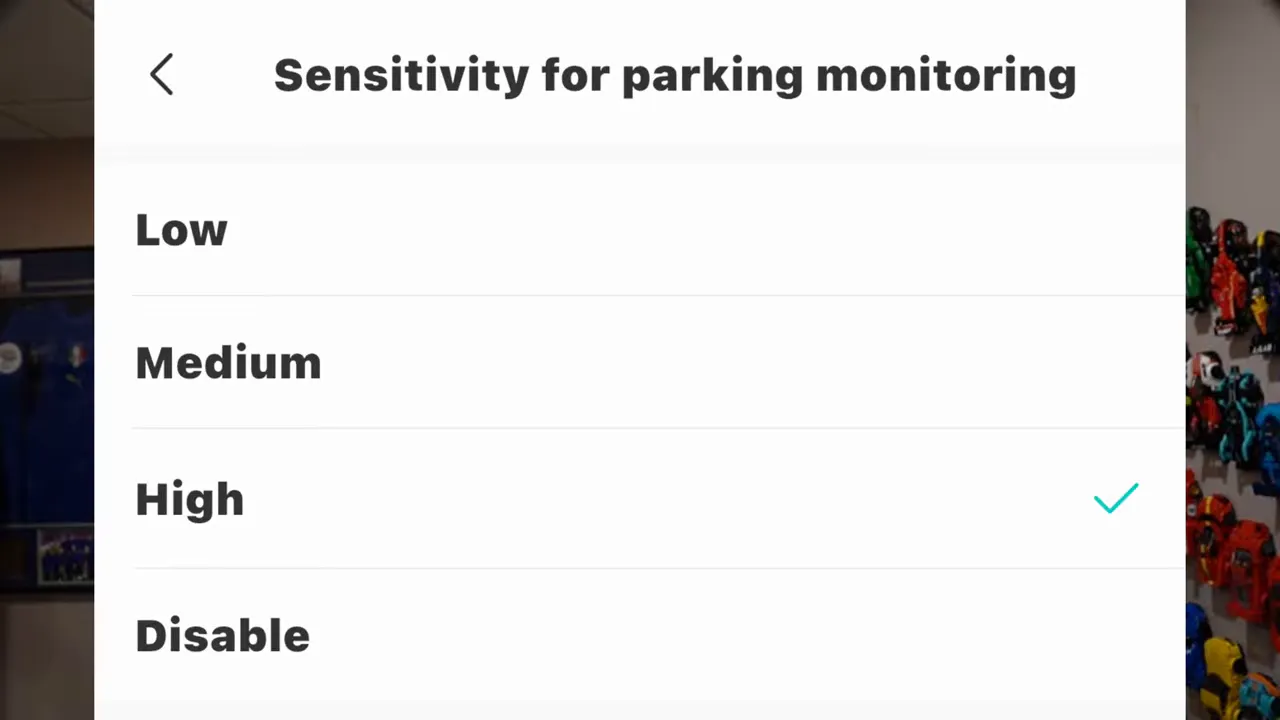
The collision sensitivity menu also showed basic options like low, medium, high, and disable. Fine in theory. Not impressive in practice.
If parking protection is a priority for your vehicle, it is worth understanding the differences between basic parking modes and setups that actually hold up in real life. We cover more of that in our article on how dash cams record while parked.
Impact detection test results
This is where marketing claims meet reality.
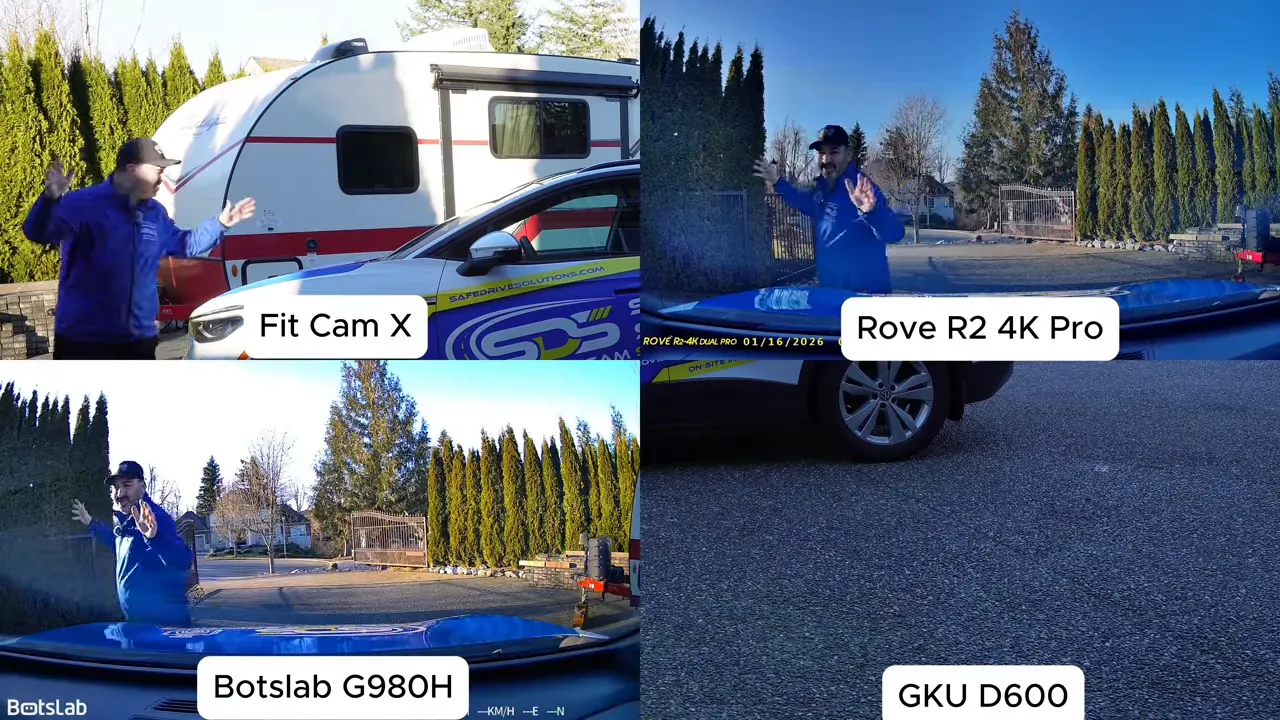
The Botslab G980H was tested for collision-triggered wake-up in parking mode alongside other popular Amazon dash cams. The test involved repeated impacts to the vehicle, including the hood and windshield area, to see whether the cameras would wake and start recording.
The Botslab did not impress.
In the test sequence shown, the unit failed to wake promptly. In the final assessment, it was waking up roughly 10 to 12 seconds after impact.
And that delay matters more than people think.
If someone bumps your parked car and drives off, 10 or 12 seconds is a lifetime. At that point, the other vehicle may already be gone, leaving you with video of empty pavement and no usable evidence.
That is why I always separate having parking mode from having good parking mode. They are not the same thing.
Why 4K on the box does not tell the whole story
This dash cam is a true 4K unit, but that alone does not make it a strong evidence tool.
Resolution is only one piece of the puzzle. A weaker sensor, poor glare handling, no obvious HDR benefit, low frame rate, and slow parking wake-up can turn a 4K camera into a disappointing performer.
Meanwhile, a camera with lower stated resolution can easily do better if the rest of the system is stronger.
A perfect example is the Viofo A229 Plus. It is only 2K, but thanks to HDR and better overall image handling, it can produce more useful night footage than this Botslab. If evidence is the goal, usable detail beats spec-sheet bragging rights every time.
If you want to browse stronger alternatives, there are better-performing options in our 4K dash cam collection and our front and rear dash cam collection.
Final opinion on the Botslab G980H
After testing it in real daytime driving, direct sunlight, nighttime streets, and parking mode impact scenarios, the Botslab G980H came up short in the areas that matter most.
What it does okay:
- It records general driving context
- It includes a hardwire cable in this package
- It offers true 4K resolution on paper
Where it struggles:
- Weak license plate capture at normal speeds
- Poor performance in direct sunlight
- Heavy glare at night
- 25 fps recording instead of 30 fps
- Weak battery protection settings on the hardwire kit
- Parking mode wake-up that is too slow to trust
If you are buying a dash cam because you want critical evidence, especially plate information or useful parked protection, I would not recommend the Botslab G980H.
This is exactly why you should work backwards from your lifestyle and your real needs. Do you care most about night driving? Parked hit-and-run protection? Battery safety? Front and rear coverage? Easy app access? Start there first.
Do not get hypnotized by a pile of glowing reviews from people who plugged it in, saw that it records, and called it amazing. A dash cam does not prove itself when everything is easy. It proves itself when lighting is bad, speeds are normal, and something actually goes wrong.
If that is the standard, the Botslab G980H simply does not do enough.
If you need help choosing the right dash cam or getting one professionally installed, Safe Drive Solutions offers dash cams and installation services across Greater Vancouver and Greater Toronto.